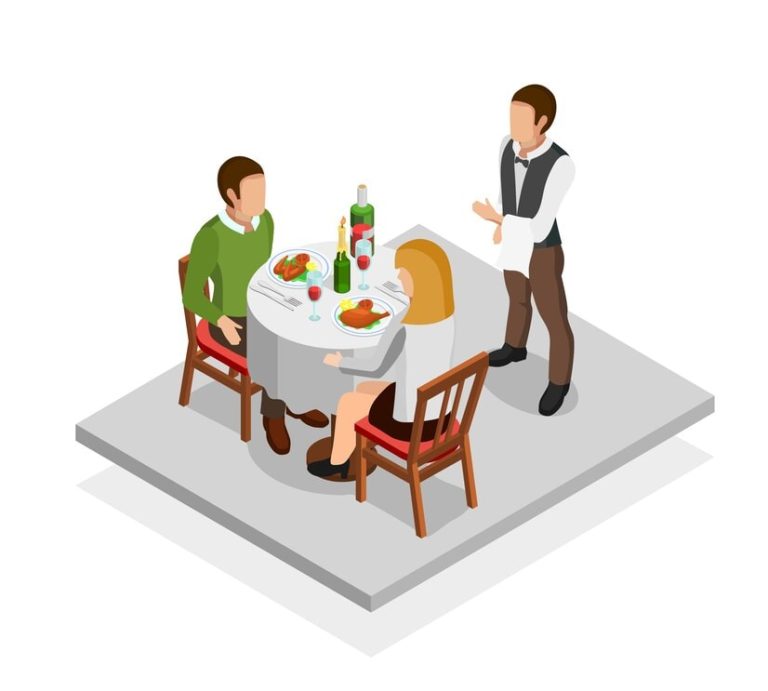

A restaurant reservation system takes bookings online, puts parties on tables, confirms and reminds, runs a waitlist, and keeps a record of who came and what they ate. Every platform on the market does all of that. Which is exactly why comparing feature lists is a waste of an afternoon.
The decision that actually matters is fit. A 40-seat neighbourhood place taking twelve bookings a night and a tasting-menu room selling tickets six weeks out need different things, and the second one’s software will feel like overhead at the first. So this guide starts from service style, then works to features, then to the one technical question most operators skip until it bites them: how the booking system talks to the POS.
If you are assembling the whole stack rather than just this piece, what a restaurant POS does end to end covers where bookings sit among everything else.
The Bottom Line
- Pick by service style first. Covers per night, average turn time and how far ahead people book narrow the field faster than any feature comparison.
- The integration with your POS is the thing to test hardest. Table status and the guest record have to be one view, not two.
- No-show rates vary enormously by market and booking method. One large data set of 3,768,761 reservations across 2,417 restaurants recorded an average of 2.33% (Resos No-Show Index, August 2025 to July 2026), so measure your own before buying a solution to a problem you may not have.
- Watch the pricing model, not the monthly price. Per-cover fees scale with your success; flat subscriptions do not.
Metrobi drivers are rated 4.97/5
Trusted by local businesses for:
- Background-checked professionals
- Specialized in business deliveries
- Same drivers for consistency
- 4.97/5 average delivery rating
Start with your service style
Four questions place you on the map: how many covers a night, how long a table turns, how far ahead people book, and whether you take walk-ins.
| Service style | What you actually need | What you can ignore |
|---|---|---|
| Neighbourhood bistro, mostly walk-ins | Waitlist, SMS notify, simple online booking | Deposits, ticketing, complex floor plans |
| Full-service dining room, two turns | Table management, turn-time tracking, reminders, POS link | Prepaid ticketing |
| Tasting menu or chef’s counter | Prepaid tickets or deposits, allergy and guest notes | Large waitlist tooling |
| Bar-led with a small food menu | Waitlist and notify, minimal booking | Floor plan optimisation |
| Takeaway and delivery led | Little or none; your POS and ordering channel do the work | Most of this category |
That last row is worth dwelling on. If most of your revenue leaves the building, a booking platform is a solution to someone else’s problem, and the money is better spent on the order side, where the POS integrations worth having will do more for you than any reservation tool.
What a reservation system does, feature by feature
Six functions, in the order they affect a service.
- Online booking from your own site, your Google Business Profile, and in some cases a marketplace the platform runs.
- Table management, which is a live floor plan showing status, party size and how long each table has been seated.
- Automated confirmations and reminders by text and email, which is where most no-show reduction actually comes from.
- Waitlist and notify, letting walk-ins join a queue and get a message when the table is ready.
- The guest record of visit history, allergies, preferences and spend, which is the asset that compounds over years.
- Reporting on covers, turn times, source of booking and no-show rate.
Judge a platform on the two of these you will touch every shift. For a dining room that is table management and reminders. For a bar it is waitlist and notify. Everything else is a bonus you will evaluate once and then never think about again.
How the booking system should sit against your POS
This is the question that separates a good setup from two systems a host has to reconcile by hand.
Three things should move between them, and you should verify each one in a demo rather than on a feature sheet.
- Table status, in both directions. When a check opens on table 12 the floor plan should show it seated; when the check closes the table should free up. If status only flows one way, your host is maintaining the truth manually.
- The guest record attached to the check. Visit count and spend history are only useful if they connect to what the guest actually ordered.
- Covers into reporting. Covers from the booking platform and sales from the POS have to land in the same period so you can read revenue per cover rather than two unrelated numbers.
Ask the vendor to demonstrate the first one live: open a check on the POS and watch the floor plan. If it needs a refresh, a sync interval, or a sentence beginning “normally what customers do is”, you have your answer. The same principle applies across the rest of your stack, which is why a cloud-hosted POS is usually a precondition. Connections of this kind need a system that is online and has a published interface.
What to do about no-shows
No-shows are the reason most operators start shopping, and the first useful step is measuring rather than buying.
Reported rates vary enormously. One large data set covering 3,768,761 reservations across 2,417 restaurants recorded 87,953 no-shows, an average of 2.33%, between August 2025 and July 2026 (Resos No-Show Index). Other operators and markets report far higher figures, and the variation tracks booking method, cuisine, city and how aggressively reminders are used.
So find your own number first, since your current system or booking inbox will give you a rough one, then apply the cheapest effective tool.
- Automated reminders, 24 hours and 2 hours ahead, with one-tap cancellation. The cheapest fix and the one that works most often, because most no-shows are forgetfulness rather than malice.
- Card on file for larger parties. Usually six or more, where a single no-show costs a real amount of revenue.
- Deposits or prepaid tickets for tasting menus and peak dates, which converts a booking into a sale.
- A live waitlist so a cancelled table refills, which is the only tool that recovers the revenue rather than deterring the loss.
With 60% of operators reporting softer customer traffic (National Restaurant Association, 2026 State of the Restaurant Industry), an empty booked table is more expensive than it was two years ago. But escalate in that order: reminders first, cards and deposits only where the arithmetic justifies the friction.
Marketplace bookings and what they cost
Reservation platforms come in two commercial shapes, and the difference matters more than the monthly figure.
Flat subscription. You pay for software. Bookings from your own website and Google profile cost you nothing extra.
Per-cover or per-booking fees. Cheaper to start, and the platform often brings diners from its own marketplace. The cost scales with every guest, and the bookings it sends you are discovery you are renting rather than owning.
The parallel with delivery marketplaces is exact, and so is the discipline: use the marketplace for discovery, drive repeat guests to your own channel, and watch the mix. If marketplace-sourced covers grow while direct bookings stay flat, you are paying a fee for customers who already knew about you. Your reports will show it, and the method in our five-step POS report routine applies directly to booking source.
One more cost to price in: the guest data. Check what you can export if you leave, because years of visit history is the most valuable thing the system accumulates and the hardest to rebuild.
Five questions for the demo
Send these ahead so the demo answers them instead of running a scripted tour.
- Show me table status updating from the POS in real time. Not described. Shown.
- What does a host see on a Saturday at 7:45pm? Judge the screen under load, not the empty-floor view.
- What exactly can I export if I cancel? Guest list, visit history, notes, in what format.
- What is the all-in monthly cost at my covers? Subscription, per-cover fees, SMS charges, add-ons.
- Which of my other systems do you connect to by name? POS first, then email and loyalty.
Hardware matters here too: a host stand needs a device staff can carry to the door, which is one of the signs it is time to switch to an iPad POS if yours is anchored to a counter. And whichever platform you pick, its mobile app will join the handful of tools you actually keep, and we cover that shortlist in the restaurant apps every owner needs.
When you do not need one
Three cases where the honest answer is to skip it.
- You take fewer than about ten bookings a night and a diary plus your phone is working. Software adds a step without removing one.
- You are walk-in only by design. A waitlist and notify tool is a smaller, cheaper purchase than a full booking platform.
- Most of your revenue is off-premise. Spend the money on the ordering and delivery side instead.
A reservation system earns its cost by protecting covers and by building a guest record over years. If neither of those is where your revenue comes from, it is overhead with a nice interface.
Frequently asked questions
What is a restaurant reservation system?
Software that accepts table bookings online, assigns parties to tables, sends confirmations and reminders, manages a waitlist, and stores guest records such as visit history and dietary notes.
How much does a restaurant reservation system cost?
Either a flat monthly subscription or a per-cover fee, sometimes both, with SMS and add-ons charged separately. Compare the all-in figure at your real cover count, because per-cover pricing looks cheapest at low volume and becomes the most expensive option as you grow.
Should my reservation system integrate with my POS?
Yes, and it is the first thing to test. Table status should update in both directions and the guest record should connect to the check. Without that, your host maintains two versions of the truth during service.
How do I reduce no-shows?
Start with automated reminders 24 hours and 2 hours ahead with easy cancellation, then add card-on-file for larger parties and deposits for peak dates. Measure your own no-show rate first, since reported averages vary widely by market and booking method.
Can I take reservations without a dedicated system?
Yes, at low volume. A booking form, a diary and a confirmation text work fine for a handful of covers a night. The threshold is usually when a host spends more time coordinating the book than seating guests.
Decide in one week
Write down your covers per night, your average turn time, how far ahead people book, and your current no-show rate. Those four numbers eliminate most of the market before you have taken a single sales call.
Then book two demos, with the live POS-to-floor-plan test as the first thing on the agenda. If one platform can show it and the other explains why it does not matter, you have finished choosing.