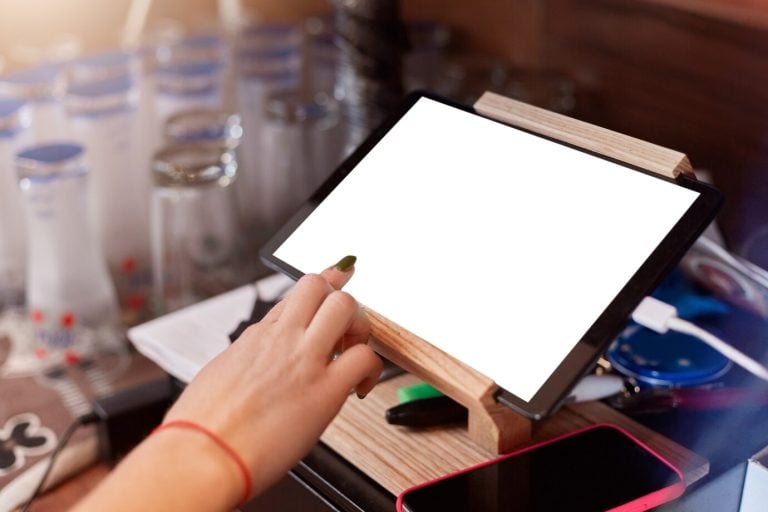

Nobody replaces a working till because a tablet looks nicer. The switch happens when the terminal stops being a tool and becomes the place everyone has to queue: staff, drivers, the owner trying to check a number.
An iPad POS is point-of-sale software running on an Apple tablet with a card reader and usually a stand, instead of on a dedicated terminal. The category sells itself on being a cheaper and more flexible alternative to a fixed system (Helcim’s iPad point-of-sale guide), and that is broadly fair, but flexibility only pays if it is flexibility you currently lack.
So here are the five symptoms that say you do. Three or more and the decision has effectively made itself. It is also a more common decision than it looks: Hospitality Technology reported that 44% of restaurants may change POS in 2026 (Hospitality Technology).
The Bottom Line
- The strongest signal is geographic: work piling up at one fixed spot because that is the only place the system exists.
- A counter covered in marketplace tablets is the second strongest. That is an integration problem, and tablet-based systems generally have the better integration marketplace.
- Hardware cost favours the iPad; reliability and durability favour a purpose-built terminal. Both are true at once.
- Don’t switch mid-season, and don’t switch if your only complaint is that the interface looks dated.
Metrobi drivers are rated 4.97/5
Trusted by local businesses for:
- Background-checked professionals
- Specialized in business deliveries
- Same drivers for consistency
- 4.97/5 average delivery rating
Sign 1: Everything has to happen at one spot
Watch your counter during a rush. If three people are waiting on one screen (the person taking a phone order, the person packing a delivery bag, the manager checking a total), the terminal has become a bottleneck rather than a tool.
A tablet moves to where the work is. That sounds minor until you count the walking: to the back office to check a price, to the counter to ring in a patio order, to the terminal to confirm what is in a delivery bag.
The test is simple. For one service, note every time someone walks to the terminal for something that is not taking a payment. If that list is long, the fixed position is the problem and a tablet solves it directly.
Sign 2: You are paying to keep an old terminal alive
Repairs on a legacy terminal, paid update cycles, a technician visit for a menu change, or a vendor letter about end of support. Any of these turn the question from “should we switch” into “when, and to what”.
The arithmetic here is usually one-sided. A tablet and a card reader cost a fraction of a purpose-built terminal, and the tablet is a commodity you can replace next week from a retail store. On a legacy system the hardware is specific, the parts have lead times, and support is a contract rather than a shop.
One honest counterpoint: consumer tablets live a hard life in a restaurant. Heat, grease and drops are real, and a purpose-built terminal is built for exactly that. The right comparison isn’t one iPad against one terminal. It is two or three iPads over the terminal’s lifespan, which usually still wins, but not by as much as the sticker suggests.
Sign 3: Marketplace tablets have taken over your counter
If there are two or three delivery-platform tablets next to your till and a member of staff reads orders off them and types them into the POS, you have found the most expensive sign on this list.
That re-typing costs you twice: labour during the exact minutes you can least spare it, and errors that go out of the door in a sealed bag. It also keeps those orders out of your reporting, so your numbers describe a smaller business than you actually run.
Strictly, the fix is an integration rather than hardware, and the POS integrations worth having start with exactly this problem. But it belongs here because older terminals frequently cannot do it at all, and tablet-based systems tend to have a far broader marketplace of native connections. If the connection you need does not exist for your current system, the hardware decision just answered itself.
Sign 4: You cannot take an order away from the counter
Several things a modern food business does assume the POS can move: taking orders in a queue before people reach the till, serving a patio or a second room, handling curbside pickup at a car window, and checking a delivery bag against its ticket at the pass.
A handheld or tablet setup does all four. A fixed terminal does none of them, and the workarounds (paper, memory, a second trip) are where mistakes come from.
This is the most delivery-relevant sign. When an order leaves the building, the last useful check is somebody confirming items against the ticket at the point the bag is sealed, and that check has to happen where the bags are rather than where the till is. What the system can do once the bag is out of your hands is covered in what a restaurant POS does across the whole operation.
Sign 5: The software you need will not run on what you have
Make a list of what you want your POS connected to in two years: online ordering, marketplaces, accounting, scheduling, inventory, loyalty, dispatch. Then check which of those your current vendor actually supports by name.
When the answer is “none of them natively, but a developer could build it”, you are being quoted a project where other operators are being offered a toggle. Tablet-based systems are nearly always cloud-hosted, which is what makes those connections available in the first place. The reasoning behind that is in how a cloud POS supports growth.
Reporting is part of this too. If you cannot read yesterday’s numbers from your phone, you will keep postponing the review that actually improves margin, the one in our five-step POS report routine.
iPad POS versus a traditional terminal
| iPad POS | Traditional terminal | |
|---|---|---|
| Hardware cost | Low, and replaceable off the shelf | High, vendor-specific |
| Mobility | Goes to the work | Fixed |
| Durability in a kitchen | Consumer-grade, needs a case | Built for the environment |
| Software model | Monthly subscription, cloud-hosted | Licence, often on-premise |
| Integrations | Broad marketplace | Limited, often custom |
| Replacement if broken | Same day, any retailer | Service call and lead time |
| Staff training | Familiar interface | Learned once, then muscle memory |
Neither column is the right answer for everyone. The pattern worth noticing is that the iPad wins on cost and flexibility, and the terminal wins on ruggedness and on not changing.
What actually changes in the first week
Expect three things, in this order.
Day one is slower. Muscle memory is gone. Staff who could ring an order without looking now look. Plan the cutover for your quietest week and over-staff the first two shifts.
By day three, the walking stops. This is where the benefit lands: orders taken where people are standing, numbers checked without leaving the floor.
By the end of week one, you find the gaps. A printer that needs re-mapping, a modifier nobody rebuilt, a report that lives somewhere new. Keep a list on the wall for the first fortnight and work through it; this is normal, not a failed migration.
One practical note: get your menu, modifiers and prices exported from the old system before the switch, not during it. And run both systems for a day if the vendor allows it.
When not to switch
Four situations where staying put is the better call.
- You are in your busiest season. Nothing on this list is worth a shaky fortnight in December.
- Your connection is unreliable and you have no backup line. Tablet systems are cloud systems, so fix the internet first.
- Your only complaint is the look of the interface. That is not a business case.
- You are mid-contract on bundled payment processing. Check the exit terms before anything else. Processing lock-in, not software, is what usually makes a switch expensive.
A dining room adds one more thing to check before committing: whether the booking platform you use connects to the system you are moving to, which is part of choosing a restaurant reservation system. And if your team already runs the operation off their phones, make sure the new system’s companion app is one of the four apps worth keeping on an owner’s home screen.
Frequently asked questions
What is an iPad POS system?
Point-of-sale software running on an Apple iPad, paired with a card reader and usually a stand, cash drawer and receipt printer. The software is nearly always cloud-hosted, so the same data is reachable from other devices.
Is an iPad POS cheaper than a traditional POS?
The hardware is substantially cheaper and easier to replace. Software is a monthly subscription rather than a licence, so over several years the gap narrows, and payment processing rates usually matter more to total cost than either.
Can an iPad POS handle a busy restaurant?
Yes, and plenty of high-volume operations run on them. The limits worth checking are durability in a hot kitchen, the number of devices your network can carry, and what the system does during an internet outage.
What do I need besides the iPad?
A card reader, a stand or mount, a receipt printer, usually a cash drawer, reliable Wi-Fi, and a case rated for the environment. Budget for one spare tablet; the point of commodity hardware is that a spare is cheap.
Will I lose my sales history if I switch?
Not if you export it first. Pull sales history, menu, modifiers and your customer list from the old system before the cutover, and confirm the new vendor can import them in that format.
How to decide this week
Count the signs. Three or more and start getting demos, with one instruction for each vendor: skip the dining-room walkthrough and show you what happens to an order between “kitchen done” and “out the door”. That part differs between systems, and a sales demo tends to skip it.
Fewer than three, and the honest answer is to fix the specific thing annoying you instead. A POS migration is a real cost, and it should buy you capability you can name.