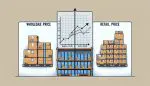



Restaurant owners lost $330,000 on average in 2024 due to inventory mistakes. These errors came from simple oversights: double-counting items, missing expiration dates, over inventory consumption, and poor stock rotation.
Food inventory management frustrates even experienced restaurant managers. The constant flow of ingredients, varying shelf lives, and price fluctuations create a complex system prone to errors. When mistakes happen, profits vanish.
But in January 2025, a small pizza chain in Boston cut their total inventory of errors by 85% in just two weeks. They didn’t hire new staff or buy expensive software. Instead, they implemented a basic food inventory template with a systematic approach.
This template transformed their operation. Stock levels stayed accurate. Food waste decreased. Staff spent less time counting and more time serving customers. Their success wasn’t luck – it came from following a clear, step-by-step process.
Today, I’ll show you the exact steps to implement a food inventory template that simplifies tracking and reduces errors in your business. You’ll learn:
How to pick the right food inventory template for your specific needs
The crucial customization steps most businesses skip
A proven system for training staff effectively
Simple automation tricks that prevent common mistakes
Real solutions for tracking perishable items
Metrobi drivers are rated 4.97/5
Trusted by local businesses for:
- Background-checked professionals
- Specialized in business deliveries
- Same drivers for consistency
- 4.97/5 average delivery rating
Step 1: Choose the Right Food Inventory Template
Explore online restaurant inventory management templates for easy selection.
Match business needs with food inventory template features.
Choosing a suitable restaurant food inventory template is crucial for reducing errors. To start, you’ll need to evaluate available options and determine what’s best for your business. Here’s how to move forward.
Analyze Business Requirements For Accurate Inventory Management
Knowing what you need is key to choosing the right food inventory template. This step ensures that every detail is addressed.
Identify Key Items and Categories
You can start by listing all the items your business tracks. This means detailing out ingredients, finished products, and any items in between. Group similar items into categories for easier management. For example, have lists for produce, meats, dairy, and dry goods. Each category should be clear and reflective of your stock. If you track seasonal or different product lines, note these separately.
Determine Necessary Features
Think about what features are vital for effective tracking. Do you need to track expiration dates to prevent waste? If yes, ensure the food inventory template allows for this. Consider supplier information as well, such as contact details or standard order quantities. This feature helps when making reorder quantity decisions. Highlight any customization needs, like special alerts for low stock or even specific storage instructions. Your choice should align with your daily operational needs.
Compare Available Options for Food Inventory Template
Once you understand your needs, it’s time to evaluate the food inventory templates available. You will prioritize those that offer flexibility and ease of use.
Look for Customization Options
Customization means tailoring the food inventory template to your specifications. Find a food inventory template that lets you add, remove, or rename fields. This ability to go beyond the default settings means the system can match your unique business processes. You’ll save time when the template aligns directly with how you work each day. Examine customization guides or user manuals if available.
Evaluate User-Friendly Interfaces
User experience matters. A complicated template can slow down your team, increasing errors. Search for templates known for their simplicity. Features like drag-and-drop for organizing and clear navigation icons are helpful. It is best to ask for team feedback on any previous templates to see what worked and what didn’t.
Step 2: Customize the Restaurant Food Inventory Template for Your Business
Tailor your inventory template to fit your business needs.
Use consistent units for easy tracking.
Adjust Categories and Fields
You can start by examining the default categories and fields in the template, including your food inventory template. These are often generic and may not fit your business perfectly. You need to adjust these to fit your specific inventory needs.
List Your Inventory Items: Identify every item that you carry. This might include dairy products, meats, vegetables, or other items specific to your business. You should make a detailed list, including all the variations like sizes and types for each item.
Add or Remove Categories: You might find that the template doesn’t include all the categories you need. If you deal with fresh produce, consider adding a category for “Fruits and Vegetables”. To add a category, simply click on the category section in your template, type in the new category name, and format it to match the existing style.
Edit Fields: Look closely at fields like product name, SKU (stock-keeping unit), and supplier. If fields are missing, add them. To add a field, go to the “insert” menu in most spreadsheet programs and click “insert column”. You should be sure to delete any unnecessary fields by right-clicking on the column header and selecting “delete”.
Ensure Accuracy: You should make sure all critical product information is included. This might mean creating a detailed field for expiration dates if your products are perishable.
How to Make a Simple Inventory Spreadsheet
Open your Spreadsheet Software: Whether it’s Excel, Google Sheets, or another program, you can start with a blank spreadsheet.
Create Columns for Key Information: At minimum, create columns such as Item Name, Category, Quantity, Units, and Price.
Fill in Sample Data: Enter a few items to see how it looks. Adjust column widths and header styles for clarity.
Set Up Units and Measurements
Next, you need to standardize units and measurements. This makes the tracking process efficient and reduces misunderstandings among your team. Let’s dive into managing units.
Select Consistent Units: Whether you use pounds, kilograms, liters, or any other units, ensure that everyone follows the same method. This consistency helps when tallying totals and ordering.
Use Clear and Standard Terminology: Have a list of approved units and terms for everyone to use. If one person records “kg” while another uses “kg.”, it might create confusion. Define a list of units and position it prominently in your template.
Prominently Place Units: Beside each item, indicate clearly what unit of measure you are using. For example, “Tomatoes – 10 kg” should be easy to interpret.
Include Conversion Fields If Necessary: If items arrive in different units than you use for selling or accounting, create a conversion field. This might be a column where values automatically convert through built-in formulas in your spreadsheet software.
Step 3: Implement Best Practices for Food Inventory Management
Train your team for accurate inventory.
Schedule regular checks to stay precise.
Reduce food waste with organized practices.
Conduct Training Sessions
Begin by creating a comprehensive training plan for your team. This crucial step ensures that everyone knows how to use the new system properly. Gather all team members who will handle inventory tasks. Schedule specific days dedicated to training. It’s important because trained employees make fewer errors, reducing overall mistakes.
First, explain why accurately tracking total inventory value matters. Tell them about its effects on cost-saving and customer satisfaction. For instance, knowing that effective inventory control can lower food costs by 3-5% might motivate your team to pay more attention. Discuss what can go wrong with poor practices. This topic must be clear.
Establish Regular Inventory Audits
Regular audits help catch errors before they become costly issues. Plan them consistently, like weekly or monthly. Consistency is key. The audit process involves physically counting inventory and comparing it to system records. You should make it simple: gather a dedicated team. Ideally, use the same staff members each time for consistency. This practice can massively enhance precision.
Set up a routine for systematically checking stock levels. Properly label each item with clear dates of receipt and expiration. Labeling helps track food using the FEFO (First Expiring, First Out) method, which ensures older items are used before newer stock. To stay organized, use tags on racks for menu items for easy identification and refilling.
When discrepancies arise, use audits to adjust stock levels. If a mismatch is found, investigate and correct it right away. Focus on areas prone to errors, like high-turnover products. Keeping these audits structured and regular minimizes costly mistakes and waste. The statistic that 43% of small businesses do not actively monitor their inventory underscores the importance of this step.
Organize and Review
Ensure that your inventory area is structured neatly. This helps anyone performing an audit do so more efficiently. Tag shelves and storage spaces. Consider where each item lives and make it intuitive to access. Regularly review and revise your audits. If a method doesn’t work, tweak it. Effective inventory practices require constant reevaluation.
Forecasting demand is another best practice. This means using past sales data to predict future stock needs. This approach optimizes inventory levels so you don’t order too much or too little. Using forecasting can significantly improve your financial planning.
Lastly, use insights from your audits and forecasting to adjust future orders. Ensure suppliers meet your demand more accurately. Implementing technology can aid in maintaining this cycle smoothly. Over 50% of restaurants are already doing this by using inventory management software.
With training and audits in place, a food business will have a robust foundation for managing inventory. This section propels you towards tighter control and fewer mistakes in your inventory.
Step 4: Streamline Inventory Processes in Food Businesses
Centralize your data for better coordination.
Automate for fewer errors and timely updates.
Use Centralized Inventory Systems
Centralized inventory systems offer a cloud-based solution. Implementing such systems allows everyone to access the same data in real time. This means fewer chances for discrepancies and errors. Choose a dependable cloud service that caters to your business scale. With this setup, updates to inventory numbers are instantly visible to everyone. No more miscommunication between departments.
Having a centralized system improves coordination. Link all departments, from procurement to sales, into one platform. This integration helps each team know exactly where the stock stands. They can make informed decisions on purchases, production, and sales. For food businesses, this real-time insight is crucial for managing shelf lives and avoiding waste. An image showing a network diagram can help visualize this integration.
Setting It Up
Pick a cloud-based system suited to your needs.
Upload your current inventory data.
Connect all relevant departments to the system.
Train staff to use, update, and check inventory data regularly.
Automate Alerts and Updates
Software tools aid in setting automatic alerts. First, identify the stock threshold levels for different items. These are the levels at which you need to reorder. You should use software to automate notifications when stocks drop to these levels. Automated alerts help in placing the reorder level and timely orders, preventing stockouts.
Next, implement software that tracks expiry dates. Food businesses deal with perishable goods. Having alerts for approaching expiry dates enables timely decisions. You can sell items at discounts or adjust procurement plans. This practice ensures freshness and reduces waste. Software like this keeps lapses at bay.
Steps for Automation
Determine stock thresholds and input them into the system.
Choose software capable of tracking inventory and setting alerts.
Configure alerts for low stock and expiry dates.
Test alerts to ensure they work correctly.
Regularly review and adjust settings as needed.
Step 5: Effective Tracking Methods for Food Inventory
Choose inventory methods that fit your products.
Use tech tools to track efficiently and cut errors.
Choose the Right Inventory Control Method
Selecting the right inventory control method is crucial, especially for food products. FIFO (First In, First Out) is often used for perishables. It means using the oldest stock first, reducing waste from expired items. Analyze your inventory needs. Are your products perishable or non-perishable? For non-perishables, methods like LIFO (Last In, First Out) or JIT (Just-In-Time) might suit better. Look into each method’s advantages and challenges. This helps in choosing the best fit for your business.
“Effective inventory management in restaurants is a delicate balance between having enough stock to meet customer demand and avoiding excess that leads to waste.” – National Restaurant Association
Consider hybrid methods for businesses with varied stock types. Combine FIFO for perishables with other methods for other items. Draft a plan with clear steps for implementation. This includes setting responsibilities for team members. Create a schedule for regular inventory reviews. This keeps your process up-to-date. You can use informative visuals like flowcharts to track stock movement. This aids in quick understanding for the team.
Deployment of FIFO
Implementing FIFO needs specific steps. You can start by organizing a uniform inventory template in your storage area. Place new stock behind older stock. Label dates clearly on all items. You can use color-coded labels if possible. Schedule regular stock checks to ensure compliance with FIFO. Record the stock movement in a centralized system for consistency.
Leverage Technology for Efficient Tracking
Technology is a key player in modern inventory management. Consider using barcode or RFID systems for accurate inventory tracking. Barcodes are simple and cost-effective. RFID offers real-time data and is more advanced. Choose based on your budget and needs. Adopting smart strategies can revolutionize your food inventory process, helping to reduce waste and boost efficiency. For insights into how innovative restaurants are managing their food stock more effectively, explore our guide on smarter food inventory solutions. These methods align well with the templates and automation techniques discussed, ensuring your inventory system stays ahead of common pitfalls.
Digital records eliminate manual errors. Cloud-based inventory systems allow access and updates from any location. Ensure these systems interface well with your existing setup. Test the integration thoroughly before full implementation.
A good inventory management system should offer real-time tracking and reporting. This supports quick decision-making. Set alerts for stock levels and expirations to prevent shortages or waste. Regularly back up data to avoid loss. Ensure staff is trained on using these digital tools effectively.
Implementing Barcode or RFID For Restaurant Inventory Management
To implement barcoding or RFID, start with a clear plan. Identify the equipment needed, like scanners or RFID readers. Consult with a tech provider to choose the best system. Tag each item in your inventory with the selected method. You should train your staff on the new process, emphasizing how it works. Conduct periodic reviews to ensure the technology is being used correctly. It is better to use illustrations or screen captures to simplify understanding.
Restaurant Food Inventory Template For Your Business
Food inventory management success comes from consistent action and proper tools. The template we discussed helps you track items, reduce waste, and maintain control of inventory trends and your stock levels. When you follow these five steps, you create a system that saves time and cuts down errors. To enhance your inventory management process, learn from industry leaders who have successfully minimized waste and optimized stock control. Their innovative approaches provide actionable insights and strategies that can transform your operations. Check out this detailed resource on how smart restaurants manage food inventory for effective waste reduction and better efficiency to see real-world applications and benefits.
Remember that perfection isn’t the goal – progress is. You can start with basic tracking, then gradually add key features and more detailed monitoring as your team gets comfortable with the system. It is best to make small adjustments based on what works for your specific operation. To further enhance your system, consider exploring how smart restaurants manage food inventory to cut waste effectively. Learning from their strategies can provide innovative ideas and practical tips to refine your process and maximize efficiency. Check this guide on smart food inventory management for fresh insights and methods to optimize your inventory handling.
Your inventory system should grow with your business. Regular checks, proper staff training, and using technology like barcodes can transform how you see inventory value and handle stock. These improvements lead to better cost control and fewer counting mistakes.
Keep learning and adjusting your approach. You can share valuable insights and feedback with your team and encourage them to suggest improvements. Your food inventory template becomes more valuable when everyone contributes to its success.
Take action today: Pick one step from this guide and implement it this week. Small changes in how you track inventory can lead to significant improvements in your business operations. Your future self will thank you for starting now. If you’re looking to take your inventory management to the next level, consider exploring the top solutions available. The right restaurant inventory management software options can automate tasks, reduce errors, and give you real-time insights to streamline your operations effectively.
For those ready to further enhance their food inventory tracking and management, it’s worth exploring the leading the market offers. Integrating advanced restaurant inventory management software tools can drastically reduce manual work, minimize mistakes, and provide real-time data analysis. These software solutions often include features like automated stock alerts, expiration tracking, and comprehensive reporting that simplify complex inventory processes, enabling your team to focus more on customer service and less on administrative tasks.