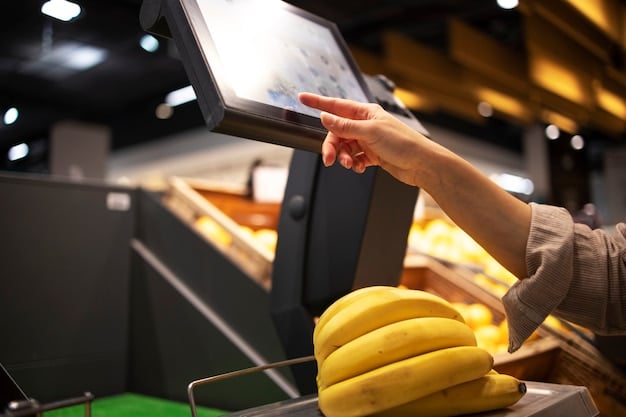
A self service kiosk is a screen that takes the order and the payment without a person on the other side of the counter. Everything else, from the upsell prompts to the loyalty sign-up to the order-ahead integration, is built on top of that one swap.
The swap works beautifully in some shops and quietly bleeds money in others, and the difference usually has nothing to do with the machine. It has to do with how many orders you take an hour, how complicated your menu is, where you have a free 30 inches of floor, and whether anyone is standing nearby when the receipt paper runs out.
This post is the go/no-go call. It covers what a kiosk actually is, the conditions under which it pays for itself, the ones under which it does not, and the parts of the job that get harder rather than easier after you install one. If you want the hardware taxonomy (countertop versus freestanding, wayfinding versus payment, which machine does which job), that lives in our breakdown of the ten kiosk system types and which one fits your counter. If you want the arithmetic rather than the argument, the line-by-line numbers are in what a self-service kiosk costs to buy and run.
The Bottom Line
- Customer willingness is no longer the blocker. In the National Restaurant Association’s State of the Restaurant Industry 2026, 68% of adults said they would place an order and pay using a self-service electronic kiosk: 81% of Gen Z, 78% of millennials, 69% of Gen X and 53% of boomers (National Restaurant Association, retrieved 2026-11-09).
- The reported uplift is real but bounded. Industry tracking puts the average-order-value lift from self-order kiosks at 15% to 30%, with ordering time down 20% to 40% (Kiosk Industry Group, updated 2026-09-28).
- Volume decides it, not enthusiasm. A kiosk carries roughly $2,100 to $3,900 a year in fixed cost before it makes a dollar. At a $14 ticket and a 20% lift, break-even is somewhere around 6 to 11 orders a day through the machine. That is a low bar, and still easy to miss if nobody chooses to use the thing.
- A kiosk does not remove labor, it moves it. The person who used to take orders now troubleshoots payments, clears jams, runs food and answers the questions the screen cannot.
- Accessibility is a live legal obligation even without a kiosk-specific federal rule. The 2010 ADA Standards already govern reach ranges, floor clearance and operable parts on fixed equipment.
Save 80% of delivery management time
We handle everything:
- Dedicated operations manager
- Real-time tracking dashboard
- Automated customer notifications
- Urgent issue resolution
What a self-service kiosk actually is
A self-service kiosk is a customer-facing terminal that combines a touchscreen, a payment reader, usually a receipt printer, and software locked to a single application inside a hardened enclosure. It connects back to your point-of-sale system so that an order placed at the screen lands in the kitchen or the pick list the same way a cashier’s order does.
Three pieces have to be true for it to work at all. The screen has to be locked down so a customer cannot browse away from your menu. The payment path has to be certified for card-present transactions. And the connection to your POS has to be live, because a kiosk that cannot reach the POS is a very expensive sign.
The installed base is substantial. Industry tracking estimates 8 million to 15 million self-service units deployed worldwide, of which 1.5 million to 3 million are restaurant self-order kiosks, growing at 15% to 20% a year (Kiosk Industry Group, updated 2026-09-28). This is mature hardware, not an experiment.
What a kiosk is not is a general-purpose POS. It does not handle your back-office reporting, your inventory counts or your staff clock-in. It is one order-capture channel among several, sitting alongside your counter terminal, your phone orders and your website.
Do customers actually want to use one?
Yes, and that has shifted fast enough to be worth stating plainly. In the National Restaurant Association’s State of the Restaurant Industry 2026, 68% of all adults said they would order and pay using a self-service electronic kiosk. The generational spread was 81% for Gen Z, 78% for millennials, 69% for Gen X and 53% for boomers (National Restaurant Association, retrieved 2026-11-09).
Compare that with the association’s 2024 Technology Landscape Report, which found 65% of limited-service customers would use a kiosk to order and 63% to pay (National Restaurant Association, retrieved 2026-11-09). The direction of travel is up, and the floor is already high enough that “my customers won’t use it” is rarely the real objection.
The caveat is in that boomer number. If your trade skews older, or skews toward customers who come in specifically to talk to you, which describes a lot of neighborhood bakeries and florists, then half your line will still want the counter. That does not kill the kiosk. It does mean you cannot staff as though the kiosk absorbs everyone.
Why kiosk tickets run higher than counter tickets
A screen asks every single customer whether they want the larger size, the side and the drink, and it asks in exactly the same words every time. A tired cashier at 1:40pm does not. That consistency, not any clever psychology, is where most of the uplift comes from.
Industry tracking puts the average-order-value lift at 15% to 30% for self-order kiosks, alongside a 20% to 40% reduction in ordering time (Kiosk Industry Group, updated 2026-09-28). Treat the low end of that range as your planning number. The high end tends to come from operations that also redesigned the menu for the screen: fewer top-level categories, modifiers grouped sensibly, images on the items with the best margin.
There is a second, less-discussed effect: customers take longer and order more when nobody is watching them. Add-ons that feel awkward to ask for out loud get added quietly on a screen. This is the same mechanism that makes a printed add-on list work at a bar, the kind of structured upsell that turns a table into a check, as with bottle service and how it lifts revenue per table. The screen is just a tireless version of the same prompt.
One honest qualifier on all uplift figures: they come from operators and vendors who deployed kiosks and kept them, which is a self-selecting group. Nobody publishes the numbers from the kiosks that got unplugged after four months.
The conditions that make a kiosk pay off
Five things have to line up. If three or fewer are true in your shop, the answer is probably no, or not yet.
You have a throughput ceiling at the counter. The kiosk’s value is parallelism: two or three orders being entered at once instead of one. If your counter is never the constraint, you are buying a solution to a problem you do not have. The tell is a line that regularly stalls while someone decides, not a line that is simply long.
Your order volume clears the fixed cost. A single card-only countertop kiosk carries roughly $2,100 to $3,900 a year in software, maintenance and amortized hardware. At a $14 average ticket and a conservative 20% lift, each order through the machine adds about $2.80 of revenue and perhaps a dollar of contribution after food cost and card fees, which puts break-even near 6 to 11 kiosk orders a day. That bar is low — the risk is not clearing it, it is a machine almost nobody chooses to use. The full arithmetic, including the ranges those figures come from, is laid out in the self-service kiosk cost breakdown.
Your menu fits a screen. Eight to twelve top-level items with clean modifiers works. Forty-two items with a chalkboard of daily exceptions and three things that are “ask us about” does not. If your staff have to explain the menu, the kiosk will create a queue of confused people instead of removing one.
You have the physical space, including the clearance. A countertop unit needs stable counter real estate near but not blocking the register. A freestanding unit needs a footprint plus the accessible approach discussed below. “We’ll find somewhere” is how kiosks end up in corners where nobody uses them.
Someone is always within sight of it. Not assigned to it — within sight of it. Paper jams, declined cards, a customer who has been staring at the allergen screen for ninety seconds. All of those need a human within a few steps, or the kiosk becomes a complaint generator.
| Decision factor | Points toward a kiosk | Points away from one |
|---|---|---|
| Peak-hour order volume | Counter is the bottleneck for 2+ hours a day | Line is short or steady all day |
| Average ticket | $12 and up, with real add-on potential | Under $8, few upsells available |
| Menu complexity | 8–12 clear items, structured modifiers | Long menu, daily exceptions, verbal explanation needed |
| Customer mix | Skews under 45, repeat and in a hurry | Skews older, comes in to chat, needs guidance |
| Floor space | Spare counter run, or floor space with 30×48in clearance | Every square foot already working |
| Staffing | Someone always on the floor near the unit | Single-person shifts, often in the back |
| Payment mix | Card and contactless dominant | Cash-heavy trade |
The disadvantages nobody mentions in the demo
Cash is where the budget goes to die. A card-only kiosk is a clean machine. Add a bill and coin handler and you add the single most failure-prone component in the box. Annual maintenance runs about $1,000 per unit for a standard kiosk and roughly $3,000 for one with cash handling, because coin and bill jams need frequent servicing (Korona POS, 2026-06-29). If your trade is cash-heavy, that changes the whole calculation.
The labor saving is mostly imaginary. You do not delete the order-taker. You convert them into a floor runner, a payment troubleshooter and an expediter. That is often a better use of the role, and it may let you run one fewer person on a slow shift, but a business case built on removing a full position usually does not survive contact with a Saturday.
The POS integration is the real project. The kiosk is the easy part. Making the kiosk’s orders show up correctly in your kitchen display, your reporting, your inventory depletion and your loyalty program is the part that takes weeks. If your POS does not have a supported kiosk path, you are either changing POS or building a workaround that will break.
Language and locale limits are real. Square’s kiosk, as one published example, is currently available in the US only and supports English only (Square, retrieved 2026-11-09). If a meaningful share of your customers order in Spanish, check this before anything else.
Screen fatigue cuts both ways. The same customer who happily uses a kiosk at an airport may resent it at the neighborhood spot they chose because someone knows their order. This is a brand decision as much as an operations one.
What the ADA requires of a self-service kiosk
There is no kiosk-specific federal technical standard in force, and operators regularly mistake that for “no requirements.” The 2010 ADA Standards already reach fixed equipment through their provisions on clear floor space (Section 305), reach ranges (Section 308), operable parts (Section 309) and braille instructions (Section 703.3), and Title III’s duty to make reasonable modifications applies regardless (Kiosk Industry Group, retrieved 2026-11-09).
In practice that means controls within a 15 to 48 inch reach range, clear floor space of at least 30 by 48 inches for a front or side approach, and a non-visual path through the transaction, typically speech output through a headphone jack plus tactile markers on any physical keypad.
The rule that would have made this explicit has stalled. The US Access Board issued an advance notice of proposed rulemaking on self-service transaction machines on 21 September 2022, covering retail checkout, restaurant ordering, check-in and DMV terminals among others; the draft proposed rule was withdrawn from White House review in early 2025 and has no projected resubmission date (Kiosk Industry Group, retrieved 2026-11-09). Healthcare is further along: 45 CFR 84.83 already requires that no qualified individual with a disability be excluded from a program or activity provided through kiosks.
Buy the accessible configuration. It is a small premium on the hardware and it removes a category of risk you do not want to be the test case for.
What a kiosk costs, in brief
Hardware splits cleanly by form factor. A tablet in a protective enclosure runs $500 to $1,500, a countertop unit with a 15 to 22 inch screen $1,000 to $3,000, and a freestanding floor unit $3,000 to $10,000 or more (Otter, updated 2026-08-25). Purpose-built QSR self-order-and-pay units are quoted at $1,500 to $10,000 and up (Korona POS, 2026-06-29).
On top of that sits software at roughly $30 to $300 per kiosk per month, installation from nothing for a countertop unit to $500 to $1,500 where electrical and data work is needed, and card processing in the 2.3% to 3.5% range plus $0.10 to $0.30 per transaction.
As a concrete published data point: Square lists its 21.5-inch kiosk at $1,999 with a counter stand, or $97 a month over 24 months, with software at $99 per device per month on Square Plus and processing at 2.5% plus 15¢ per tap or dip (Square, retrieved 2026-11-09).
That is the summary. The payback model, including how many orders a day at your ticket size and what happens to the answer when you add a second unit, is worked through in the dedicated kiosk cost and payback guide.
How kiosk orders reach the people who are not in the room
Most kiosk coverage stops at the counter, which is a problem if a growing share of your revenue leaves the building. For a bakery, caterer or florist, the kiosk is one more mouth feeding the same fulfillment queue: walk-in, phone, website and kiosk all producing orders that someone has to pick, pack and route.
Two things matter here. First, the kiosk has to be able to capture a pickup time or a delivery address, not just a cart. A kiosk configured purely for dine-in will happily take an order it cannot fulfill. Second, those orders have to land in the same place as everything else. If kiosk orders appear in a separate queue, you have created a second set of tickets to reconcile at the worst possible moment.
Where the handoff is to a driver rather than a counter, the route is the constraint rather than the screen. Metrobi plans multi-stop routes, returns photo proof of delivery, and integrates with Shopify, WooCommerce, Zapier, Zapiet and QuickBooks, so orders captured in-store can join the same run as the ones captured online. You can also add top-performing drivers to a preferred network so the people handling your deliveries already know your packing and your customers.
Should you start with one kiosk or several?
Start with one, and place it where the line stalls rather than where it looks best.
A single unit tells you three things a pilot of four cannot: what share of customers choose it unprompted, which menu items confuse people on a screen, and how often somebody has to walk over. Collect those for a month. If usage is above roughly a third of transactions at peak and intervention is rare, a second unit is a straightforward call, because the fixed costs are per-device but the integration work is already done.
If usage sits low, resist the urge to add hardware. Low usage is almost always a placement, signage or menu-structure problem, and none of those get better with another screen.
Frequently asked questions
What is a self-service kiosk?
A customer-facing terminal with a touchscreen, a payment reader and usually a receipt printer, running locked-down software and connected to a business’s point-of-sale system, so a customer can complete an order and payment without staff assistance.
Are self-ordering kiosks worth it for a small restaurant?
They can be, but the threshold is volume rather than size. A kiosk carries roughly $2,100 to $3,900 a year in fixed cost, so it needs enough daily orders at a high enough ticket for a 15% to 30% uplift to clear that. A single-location shop with a peak-hour bottleneck it cannot clear and a $14-plus average ticket is a reasonable candidate; a quiet shop with a $7 ticket is not.
What are the main disadvantages of self-service kiosks?
Cash handling raises annual maintenance from around $1,000 to roughly $3,000 per unit, the labor saving is usually a role change rather than a headcount reduction, POS integration is the longest part of the project, and some customer bases actively prefer the counter.
Do self-service kiosks have to be ADA accessible?
Yes. Although the Access Board’s self-service transaction machine rule was withdrawn from review in early 2025, the 2010 ADA Standards already govern clear floor space, reach ranges and operable parts on fixed equipment, and Title III’s reasonable-modification duty applies independently.
Does a kiosk replace a POS system?
No. A kiosk is an order-capture channel that connects to a POS. It does not handle back-office reporting, inventory or staff management, and it needs a live connection to the POS to function at all.
The call
A self service kiosk is a throughput tool with an upsell side effect. If your counter is the constraint for a couple of hours a day, your menu fits a screen, your ticket is big enough for a 20% lift to matter, and somebody is always nearby, it is a good buy, and the customer-acceptance argument is over at 68% willingness and rising.
If you are buying it to cut a position, to look modern, or because a vendor showed you a 30% uplift slide, stop. Those are the kiosks that get unplugged.
Work the two questions in order: which type of machine the job actually needs, which you can sort out with the kiosk system types guide, and then whether the arithmetic clears, which is the cost and payback guide. If both come back yes, buy one unit and let it tell you about the second.