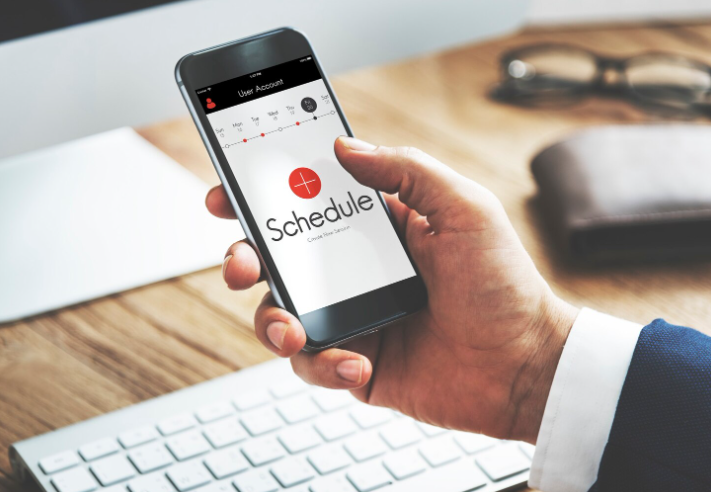

Most guides to the best calendar app for restaurants assume your whole day happens inside four walls. They rank apps on how well a server can swap a Friday night shift and stop there. That test misses the part of the day that actually hurts if the calendar is wrong: the orders leaving your kitchen for somebody else’s address.
A restaurant that delivers is running two clocks at once. One is the staff clock, which says who is on the line at 4pm. The other is the order clock, which says the catering tray has to be boxed by 10:30 and on the road by 11. Most scheduling apps are excellent at the first clock and completely blind to the second, and that gap is where a $2-a-head subscription quietly turns into a missed drop.
This post compares seven apps a restaurant can actually build its calendar on, with prices pulled from vendors’ own pages in September 2026, and says plainly where each one stops.
The Bottom Line
Nearly every “restaurant calendar app” is a staff rota tool. It schedules people, not orders, so a delivery kitchen needs to know what it is not buying.
You can run a working restaurant calendar for $0. Homebase Basic is free for one location and up to 10 employees, Sling’s free plan covers up to 30 users, and ZoomShift Essentials is free for up to 20 at one location (Homebase, Sling, ZoomShift, retrieved 2026-09-30).
Per-location and per-user pricing diverge hard as you grow. Homebase Essentials is $30 per location per month whatever your headcount; When I Work Essentials is $2.50 per user per month. At six staff the per-user model wins, at twenty the per-location model does.
Watch for floors and add-ons. Deputy sets a minimum monthly spend of $30 per invoice, so a five-person crew on Lite at $5 a head pays the floor, not $25 (Deputy, retrieved 2026-09-30).
Restaurant-native tools earn their premium on forecasting, not calendars. 7shifts builds the rota against your sales data, which is what keeps labor inside the 28-33% of revenue most operators target (Restaurant365, retrieved 2026-09-30).
No app on this list schedules the deliveries themselves. That is a separate category and a separate purchase.
Boost customer satisfaction with just a few clicks
Most-Loved Features:
- On-demand drivers
- Real-time GPS tracking
- Delivery confirmation photos
- Over 50% of customers report a smoother delivery experience
What a restaurant’s calendar has to hold when orders go out the door
Before comparing apps, be specific about what you are asking the calendar to carry. In a delivery kitchen there are four distinct things, and almost no single product holds all four well.
Staff shifts. Who is on, in which role, from when to when. This is the job every app on this list does, and does well.
Prep and production timings. The 6am dough, the 9am tray assembly, the 2pm restock. These are not shifts and not orders. They are tasks with hard deadlines that a shift calendar will happily let you forget. What you can prep is set by what you have on hand, which is the same discipline behind how smart restaurants manage food inventory.
Delivery departure times. The moment a bag or tray has to physically leave. This is the deadline everything upstream is working toward, and it is usually the thing living in a notebook.
Customer delivery windows. The slot you promised the person receiving the order. Shift apps have no concept of this at all.
Sort your own pain into those four buckets before you look at a price list. If your problem is that nobody knows when they’re working, a free shift app fixes it this week. If your problem is that food is ready but the van left ten minutes ago, no amount of rota software will touch it.
The best calendar app for restaurants: 7 options compared
Prices below come from each vendor’s own pricing page on 30 September 2026, except where noted. Vendors reshuffle tiers often, so confirm before you commit.
| App | Best for | Free tier | Entry paid price | Where it stops |
|---|---|---|---|---|
| 7shifts | Restaurants that want the rota built from sales data | Comp plan, one location | From $39.99 per location per month | No delivery routing or customer windows |
| Homebase | One location with a big roster | Basic: free, 1 location, up to 10 employees | Essentials $30 per location per month | Task deadlines are basic; nothing order-side |
| When I Work | Small crews that want predictable per-head cost | 14-day trial | Essentials $2.50 per user per month | Pure rota; no prep or delivery layer |
| Deputy | Operators who staff to a demand curve | Trial only | Lite $5 per user per month, $30 minimum monthly spend | Forecasts labor, not delivery volume |
| Sling | Teams up to 30 who need free scheduling plus messaging | Free, up to 30 users | Premium $2.00 per user per month | Labor costing is paid-tier only |
| ZoomShift | The cheapest workable paid rota | Essentials: free, up to 20 users, 1 location | Starter $2 per active team member per month | Deliberately minimal; no forecasting |
| Google Calendar | Owner-operators and two-person kitchens | Yes, with any Google account | Included with Google Workspace plans | No swaps, availability, labor cost or payroll |
Sources: vendor pricing pages, retrieved 2026-09-30 (Homebase, When I Work, Deputy, Sling, ZoomShift). 7shifts pricing from Capterra’s listing, retrieved 2026-09-30.
7shifts: a restaurant calendar built from your sales numbers
7shifts is the one app here designed for restaurants and nothing else, and the difference shows in what it puts next to the calendar rather than in the calendar itself. It builds the rota against sales forecasts and labor budgets, so when you drag an extra prep cook onto Saturday morning you see the labor line move before you publish. Those forecasts are only as good as the till they read from, which is a reason to settle the best POS systems for restaurants before you pay for forecasting on top of it.
That matters because staffing is the number you are steering. Industry guidance puts a target labor cost somewhere between 28% and 33% of revenue, with quick service closer to 25% and fine dining nearer 30-35% (Restaurant365, retrieved 2026-09-30). These are rules of thumb rather than survey findings, but they are the range most operators are managing against, and a calendar that shows you the percentage as you build is worth more than one that shows you a tidy grid.
Pricing starts with a free Comp plan for a single location, then Essentials from $39.99 per location per month, with Pro and Premium above it (Capterra, retrieved 2026-09-30). One caution: third-party listings disagree on what the higher tiers cost, and add-ons for payroll and tips stack on top. Get the quote in writing for the tier you actually want.
Where it stops: 7shifts will tell you that Saturday needs another driver on the clock. It will not sequence that driver’s stops or tell a customer when to expect their tray.
Homebase: the free calendar app for restaurants with one location
Homebase is the most generous free tier on this list for a single-site restaurant. The Basic plan is $0 per location per month for one location and up to 10 employees, and it still builds a weekly schedule and lets staff clock in on tablets, computers and POS devices (Homebase, retrieved 2026-09-30).
The upgrade logic is clean. Essentials at $30 per location per month adds the features a working restaurant rota needs: overtime and break preferences, availability and time-off requests, and letting staff trade, cover and claim open shifts. Plus is $70 and All-in-One $120, both per location per month with unlimited employees, and the AI scheduling assistant arrives at Plus.
The per-location model is the point. A twenty-person kitchen at one address pays the same $30 as a six-person one, which makes Homebase the cheapest option on this list once your roster gets big. Run the same twenty people through a per-user tool and you are paying $50 a month instead.
When I Work: predictable per-head pricing for a small crew
When I Work prices purely per user: Essentials at $2.50 per user per month, Pro at $5, Premium at $8 (When I Work, retrieved 2026-09-30). For a kitchen of six that is $15 a month for a full scheduling and availability system, which is hard to argue with.
The flip side of a per-user model is that it never stops growing. Every hire adds a line to the bill, so the math that made it obvious at six staff gets less obvious at twenty-five. Work out your cost at the headcount you expect next summer, not today’s.
Deputy: staffing the calendar against a demand curve
Deputy’s pitch for a delivery-heavy restaurant is forecasting. It builds a demand curve from historical sales and layers the roster on top, so you can see projected labor spend rise and fall as you place each shift rather than discovering it on Monday.
Pricing runs Lite at $5 per user per month, Core at $6.50 and Pro at $9, with Deputy AI included across all tiers (Deputy, retrieved 2026-09-30). The catch is a minimum monthly spend of $30 per invoice, in force since 1 September 2025. A five-person crew on Lite is therefore a $30 bill, not a $25 one, and small teams should price that floor in before trialling. HR, messaging and analytics are separate add-ons at $2, $1.95 and $1.50 per user per month.
Sling: a free shift calendar that stretches to 30 users
Sling’s free plan is the widest on this list by headcount: $0 for up to 30 users, including shift scheduling, time-off requests, visibility of available shifts, long-term scheduling and private messaging (Sling, retrieved 2026-09-30). For a café, food truck or small restaurant that mostly needs everyone looking at the same grid, that is a complete answer for nothing.
What sits behind the paywall is the money side. Premium at $2.00 per user per month ($1.70 billed annually) adds mobile time tracking, labor cost management, overtime tracking and calendar sync. Business at $4.00 ($3.40 annually) adds kiosk clock-in, reports, no-show tracking and PTO management. So Sling is free until you want to know what the schedule costs you, which for most delivering kitchens is about three months in.
ZoomShift: the cheapest paid rota worth running
ZoomShift is deliberately narrow, and that is its appeal. Essentials is free for up to 20 users at a single location; Starter is $2 per active team member per month and unlocks unlimited locations; Premium is $4 (ZoomShift, retrieved 2026-09-30). There is a 14-day trial on the paid tiers.
“Per active team member” is the detail to notice. Seasonal staff who aren’t on the schedule this month shouldn’t be billable, which suits restaurants that scale up for a holiday delivery rush and back down in January. What you don’t get is forecasting or restaurant-specific intelligence. This is a clean calendar, priced like one.
Google Calendar: when a shared calendar is still the right answer
If you are an owner-operator, or two people who already talk every morning, a shared Google Calendar is not a compromise. It is free with any Google account, included with Google Workspace plans, and it is the one tool every other app on this list will sync into.
It is also the only option here that handles prep timings and departure times as naturally as shifts, because it doesn’t know the difference. An 11am “load the van for the office catering drop” event sits happily next to a 4pm-to-close shift. Below about five people, that flexibility beats a purpose-built rota tool.
The limits matter: no shift swaps, no availability collection, no labor costing, no payroll export, and every change is manual. Once staff start texting you to swap Saturdays, you have outgrown it.
How much restaurant scheduling software costs in 2026
Restaurant scheduling software is priced one of two ways, and which one is cheaper depends entirely on your headcount per address.
Per location: a flat monthly fee per site regardless of how many people you employ. Homebase Essentials at $30, 7shifts Essentials from $39.99. Cheap for big rosters at one address.
Per user: a rate for each employee on the schedule. When I Work from $2.50, ZoomShift from $2, Sling from $2.00, Deputy from $5 plus the $30 floor. Cheap for small crews, and it grows with you whether you like it or not.
The crossover for most restaurants sits somewhere around a dozen staff. Below that, per-user is usually cheaper; above it, per-location wins and the gap widens fast. Two things distort the math: minimum spends, which punish very small teams, and annual billing, which typically shaves 10-20% (Deputy advertises 10%, Homebase 20%, Sling 15%).
Can you run a restaurant schedule on Google Calendar or a spreadsheet?
Yes, and plenty of profitable kitchens do. Both break at a predictable point, though.
A shared Google Calendar works for small teams that need a simple, accessible view of who is on. What it doesn’t do is shift trades, automatic scheduling, availability collection or labor cost tracking, so every change becomes a manual edit and a round of messages. It also doesn’t talk to payroll.
A spreadsheet has the same ceiling with worse visibility. It is fine for one person building one week. It stops being fine the moment two people are editing, someone’s availability changes on a Thursday, or you need to know what last month’s schedule actually cost.
The honest signal to upgrade is not headcount, it’s message volume. When you’re spending more time fielding “am I on Saturday?” texts than building the schedule itself, a free tier of a purpose-built app pays for itself immediately.
What none of these calendar apps will schedule: the deliveries
This is the gap a delivering restaurant has to plan around, and no entry above closes it.
Every app on this list schedules people. A delivery has different inputs: an address, a time window, a sequence relative to other stops, and a driver’s actual position at 2pm. Sequencing ten drops into an efficient route, holding a promised window, and telling the customer where their order is are jobs for delivery software, not rota software. Some scheduling tools let you attach an address to a shift. SocialSchedules can send a map to someone delivering to an event. Attaching an address is still not routing.
Practically, most delivering restaurants end up running two things: a shift calendar from the list above, and something order-side that turns the day’s drops into routes with departure times. That second tool is where the promise to the customer actually lives, and it is worth budgeting for separately rather than hoping a rota app grows into it. Metrobi sits in that second category, with multi-stop route optimization, real-time driver tracking and automated delivery notifications on dispatch and completion.
The practical move is to make the two talk in one direction: the delivery plan sets the departure times, and the shift calendar staffs backward from them. Prep starts early enough to hit the departure, not the other way around.
Picking a restaurant calendar app at one location versus four
Four decision rules, in the order they usually apply.
Two or three people, one site. Stay on a shared Google Calendar. Put departure times on it as events alongside shifts. Spend the saved money elsewhere.
Up to 10 employees, one site. Homebase Basic, free. You get a full weekly schedule and clock-in at no cost, and the upgrade path is one click when you want shift trades.
10 to 20 employees, one site. Compare Homebase Essentials at $30 per location against your headcount times $2.50 on When I Work. At twelve staff they are near-identical; at eighteen, Homebase is clearly cheaper.
Multiple sites, or labor cost is the problem. This is where restaurant-native pays. 7shifts if you want the rota built against sales forecasts, Deputy if you want a demand curve under the roster. Both cost more per month than the generalists and both give you the number you are actually managing.
Whichever you pick, start on the free tier or the trial and build one full week in it before you pay. The test is whether next Tuesday’s prep, shifts and departures all fit on one screen without you translating between three places.
Frequently asked questions
What is the best free calendar app for restaurants?
Homebase Basic for a single location with up to 10 employees, or Sling’s free plan if you have more people and want everyone on one grid, since it covers up to 30 users at no cost (Homebase, Sling, retrieved 2026-09-30). Both build a working weekly schedule rather than a stripped demo.
Is 7shifts worth it over a general scheduling app?
It is if labor cost as a percentage of sales is a number you actively manage, or you run more than one location. You are paying for the forecasting and budgeting layer, not the calendar. If you just need people to know when they’re working, a free tier does that identically for $0.
Can one app handle staff shifts and delivery times together?
Not properly, no. Shift apps schedule people; delivery tools schedule orders, addresses and routes. The workable setup is one of each, with the delivery plan setting departure times and the shift schedule built backward from them.
How many hours ahead should a restaurant publish its schedule?
Aim for two weeks where you can, and check your local rules, because a number of US cities and states have predictive scheduling laws that set minimum notice periods and require penalty pay for late changes. Most apps on this list will publish to phones instantly, so the constraint is your own planning horizon, not the software.
Does a restaurant calendar app replace a POS or inventory system?
No. Scheduling tools cover who is working and when. What you sold and what you have left are separate systems, though restaurant-native schedulers like 7shifts and Deputy read sales data from your POS to forecast the roster.
Start with whatever breaks first
The best calendar app for restaurants is the one that fixes your current failure, not the one with the longest feature list. If nobody knows their shifts, take a free tier today: Homebase under 10 staff, Sling under 30. If you know your shifts but keep blowing past your labor target, pay for 7shifts or Deputy and use the forecasting.
And if the thing that actually breaks is food sitting ready while the delivery leaves late, be clear that none of these will fix it. That’s an order-side problem, and it needs an order-side tool sitting next to whichever calendar you choose.