A florist loads eleven arrangements into a van. Nine are already paid for online. One is a corporate account that pays on terms. And one is a woman who said she’d “sort it out with the driver.”
That last one is the problem this post is about.
Contactless payments for deliveries are not the same question as contactless payments at a counter. At a counter, the customer is standing in front of your terminal and the money moves before they walk out. On a delivery, the goods leave your building before the money arrives, and every method you pick is really a decision about when you get paid and who is holding the risk in the meantime.
There are only three answers. You take the money before the van leaves, you take it at the door, or you send a code or a link and wait. Each one fits a different kind of customer, and most delivery businesses end up running all three at once.
This post covers which method to use for which order, what each one actually costs you, and what a driver needs in their hand before the first route. The mechanics of the tap itself, how the chip talks to the reader and whether a driver’s own phone can be the reader, are covered in the guide to NFC contactless payments. If you’ve decided you need a dedicated device, the contactless payment machine buying guide walks through connectivity, battery and contract terms, and there’s a closer look at one popular line-up in the Clover device breakdown.
The Bottom Line
- Prepay at checkout is the default for anything you can charge before dispatch. It removes the handoff risk entirely and it’s the cheapest method to operate.
- A tap at the door is for the orders you couldn’t price in advance: weight-based items, substitutions, add-ons. It’s also for the customers who won’t pay a stranger online.
- Scan-to-pay and payment links are for accounts, not consumers. They shorten the gap between delivery and payment without putting a terminal in a driver’s hand.
- Cash is still a real share of American spending. The Federal Reserve found cash was 14% of all consumer payments by number in 2024, and it’s concentrated in small-value purchases under $25 (Federal Reserve Financial Services).
- Whatever you choose, decide it per order type and write it down. The expensive failure isn’t the method, it’s the driver improvising at the door.
Metrobi drivers are rated 4.97/5
Trusted by local businesses for:
- Background-checked professionals
- Specialized in business deliveries
- Same drivers for consistency
- 4.97/5 average delivery rating
The three ways to collect payment for a delivered order
Every payment method available to a delivery business is a variation on one of three timings.
Before dispatch. The customer pays on your website, over the phone, or through a payment link you send when you confirm the order. The money is settled before anyone loads a van. This is the only method where a failed payment costs you nothing but a cancelled order.
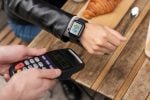
At the handoff. The driver carries something that can take a card or a phone: a terminal, or a phone running tap-to-pay software. The customer taps, the driver hands over the goods.
After delivery. You leave an invoice, a printed QR code, or send a link once the delivery is confirmed. The customer pays on their own time, inside whatever window your terms allow.
The instinct is to treat the second one as the modern answer and the third as the old-fashioned one. In practice it runs the other way. Prepay is the modern answer, and the reason delivery businesses still need the other two is that some orders can’t be priced in advance, and some customers won’t pay before they see the goods.
Why cash at the door costs more than it looks
Cash hasn’t gone away, and anyone telling you it has is not looking at the data. The Federal Reserve’s most recent Diary of Consumer Payment Choice, based on an October 2024 study, found cash accounted for 14% of all consumer payments by number, down from 16% the year before but steady at about seven cash payments per person per month for four straight years. More than 94% of consumers used cash as a primary instrument, a backup, or a store of value (Federal Reserve Financial Services).
So customers will still offer it. The question is what accepting it at a doorstep costs you.
The driver has to carry change, which means you have to float it. The money sits in a vehicle for the length of a route. Someone has to count it at the end of the shift, reconcile it against the manifest, and bank it. That person is usually you, at eight in the evening. Every one of those steps is a place where a number can go missing, and none of them generate a record you can show a customer who later says they paid.
Cash also pushes the whole payment conversation onto the driver. They’re the one explaining that they can’t break a hundred. On a tight route, that conversation is the difference between twelve stops and eleven.
Where cash earns its place is the segment the Fed data points at: small-value orders. Cash use is heaviest on purchases under $25, at about five payments a month per consumer. If your average delivery is an $18 bread order to a residential street, a cash-friendly policy is reasonable. If your average delivery is $340 of catering to an office, it isn’t.
Prepay at checkout is the default for most delivery orders
If you can charge the order before it’s loaded, do that. It’s not a close call.
Prepay removes the handoff from the payment entirely. The driver has nothing to collect, nothing to carry, and no reason to wait at the door. Non-cash payment has become the normal way Americans transact in person. The Fed’s figures show non-cash methods rose from 60% of in-person payments in 2016 to 78% in 2024, so you’re not asking customers to do anything unfamiliar.
Prepay is also where the delivery-specific advantage shows up. A paid order is one you can route freely. You can move it to a different driver, slot it into a different run, or deliver it to a neighbour, without any of that touching the money.
Two cases break prepay, and they’re worth naming because they’re the cases that force you to run a second method:
- Variable pricing. Anything sold by weight, cut to order, or subject to substitution can’t be charged accurately in advance. You can authorize an estimate and adjust, but that’s a conversation and a refund, and most small operations would rather settle the real number at the door.
- Trust. Some customers, older ones in particular, will not hand card details to a bakery’s website; the Fed data shows cash reliance rising with age, from 10% of payments among 18-to-24s to 19% among the over-55s. They’ll pay at the door or not at all.
For everything else, your website or your invoicing tool is the cheapest terminal you will ever own.
Taking a tap at the door
For the orders prepay can’t cover, a tap at the handoff is the fastest settlement you’ll get.
Tapping has stopped being a niche behaviour. Visa reported that tap to pay reached 76% of its face-to-face transactions globally, and passed 60% of US face-to-face transactions for the first time in its fiscal second quarter through April 21, 2025 (PYMNTS, reporting Visa’s April 29, 2025 earnings call). The tap itself takes one to two seconds (Visa). At a doorstep, where the alternative is a driver waiting while someone finds a chequebook, those seconds compound across a route.
You have two ways to do it, and the choice shapes what you spend.
The driver’s phone as the reader. Software-only tap-to-pay turns a phone you already own into a contactless terminal. There’s no hardware to buy and, according to processor SwipeSimple, no premium on the rate. Tap to Pay transactions process at the same card-present rate as the rest of your account (SwipeSimple). The constraint is connectivity and battery, both of which matter more in a van than behind a till. The full picture, including what happens when a tap fails in a basement loading dock, is in the NFC contactless payments guide.
A dedicated handheld. A purpose-built terminal gives you a receipt printer, a battery sized for a shift, and in several models a cellular connection that doesn’t depend on a customer’s wifi. You pay for that in hardware and often in a monthly plan. Which trade-offs are worth it depends on your route profile, and that’s the subject of the contactless payment machine guide.
One practical limit to know before you promise a customer they can tap for anything: some contactless cards carry issuer-set limits, often in the $100 to $250 range, above which the customer has to insert the card instead of tapping (SwipeSimple). Phone wallets generally aren’t bound by the same ceiling, because the phone verifies the customer itself. For a driver delivering a $400 catering order, that distinction decides whether a tap-only setup is enough.
Scan-to-pay and payment links for accounts and wholesale orders
The third method is for the customers who were never going to pay at the door: restaurants, offices, retailers, anyone with an accounts payable process between your invoice and your bank account.
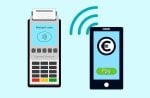
A scan-to-pay code or a payment link is just your checkout page in a portable form. The driver leaves a printed code on the invoice, or you send a link the moment the delivery is confirmed, and the customer pays from their own device. Nobody carries a terminal and nobody waits at the door.
What this method buys you is timing, not fees. The money still moves over the same card and wallet rails you already pay for, so the rate barely changes. The gap it closes is the one between delivering goods and seeing cash, and for wholesale accounts that gap is the whole problem. Xero’s Small Business Insights data for the June 2026 quarter put US small businesses at 8.5 days late on average, waiting 29.3 days overall to be paid, up from 28.6 days the previous quarter (Xero Small Business Insights). Handing the customer a way to pay on the day of delivery, while the goods are in front of them, is the cheapest intervention available against that number.
Two things to get right if you print codes:
- Make the code specific to the order. A static code taped to a clipboard means the customer types the amount themselves, and the amount they type will not always be the amount you invoiced.
- Check the printed code is yours. Any code physically attached to a van, a folder or a delivery note can be covered with a sticker. Build a weekly scan-your-own-code check into whoever preps the paperwork.
Which collection method fits which customer
| Order type | Collect | Why |
|---|---|---|
| Online consumer order, fixed price | Prepay at checkout | No handoff risk, no driver involvement, cheapest to run |
| Phone order from a repeat customer | Payment link before dispatch | Same benefits as checkout without a storefront |
| Weight-based or cut-to-order goods | Tap at the door | Final price isn’t known until the goods are handed over |
| Customer who won’t pay online | Tap at the door | Keeps the order rather than losing it |
| Small residential order under $25 | Tap, cash accepted | Where cash use is actually concentrated |
| Wholesale or catering account on terms | Scan-to-pay or emailed link | Fits an accounts payable process; shortens the wait |
| New account, large first order | Prepay or deposit | The one time to be inflexible |
The table isn’t a policy. It’s a starting point for writing one, which is the actual deliverable: one line per order type, decided by you, printed where your drivers can see it.
What a driver needs before the first route
Whichever methods you run, the driver is the point where policy meets a doorstep. Four things make that go smoothly.
- A charged device and a backup. If payment depends on a phone, a dead phone is a failed delivery. A cheap power bank per vehicle costs less than one returned order.
- A written answer for “can I pay later?” Drivers improvise when they haven’t been told. Tell them what to say and who to call.
- A way to record what happened. A photo of the delivered goods and a payment confirmation on the same timestamp settles almost every dispute before it becomes one. Proof-of-delivery photos and automated delivery notifications do this work on most delivery platforms, including Metrobi.
- No obligation to carry a float. If you’re not running a deliberate cash policy, don’t make drivers the fallback for one.
Route density changes the calculation too. A driver covering twenty stops in a dense metro area can absorb a slow payment at one door; a driver with six stops spread over forty miles cannot. The tighter your routes, the more a two-second tap is worth. If you’re building out routes in a new market, say local delivery in Charlotte, North Carolina, the payment method you standardise on early is the one your drivers will default to for years.
Proof of payment and the dispute you don’t want
The dispute that costs you is not the customer who refuses to pay. It’s the customer who believes they already did.
Contactless makes this easier than cash, but only if you keep the two records together. A payment processor can show you a transaction at 2:14pm. Your delivery record can show goods handed over at 2:13pm. Separately, each is arguable. Together, they end the conversation.
So whatever you adopt, make the pairing automatic rather than something a driver remembers to do. Capture the delivery event and the payment event in the same place, or at least make them reconcilable by order number. Businesses that skip this find out during their first chargeback, which is the most expensive possible time to learn it.
Frequently asked questions
Do contactless payments cost more than chip payments?
No. Contactless transactions process at the same card-present rates as inserting a chip card. There’s no surcharge for accepting a tap (SwipeSimple). What changes your effective cost is the pricing model on your merchant account and whether the transaction is card-present at all, not the tap.
Can I take contactless payments without buying a terminal?
Yes. Software-only tap-to-pay turns a supported phone into a contactless reader, which is the usual starting point for a business adding payment to a route it already drives. Square, for example, lists an iPhone XS or newer, a current iOS version, a device passcode and a live internet connection as its requirements (Square).
What happens if there’s no signal at the delivery address?
That depends entirely on your setup, and it’s worth testing before you rely on it. Some phone-based tap-to-pay implementations require a live connection and will simply fail. Square states offline payments aren’t supported with Tap to Pay on iPhone. Some dedicated terminals can store a transaction and forward it when they reconnect, and some carry their own cellular connection so the question rarely comes up.
Should drivers still carry cash?
Only if you’ve decided to accept cash deliberately, for a defined order type, with a counting and banking routine behind it. Cash remains a meaningful share of small-value consumer payments, so for a business delivering low-ticket residential orders it can be a reasonable choice. Making drivers the unplanned fallback for a cash policy you never wrote down is not.
Is a QR code cheaper than a card tap?
Usually not, in the US. A scan typically opens a checkout page that settles over the same card and wallet rails, so the rate lands in a similar band. The reason to use one is timing and logistics: getting a paying mechanism in front of an accounts payable customer on delivery day without putting hardware in a driver’s hand.
Start with the orders you can charge before dispatch
The shortest path to a working setup: move everything you can price in advance to prepay, add one tap-capable device for the orders you can’t, and use links or codes for accounts that pay on terms. That covers nearly every delivery a food, floral, catering or wholesale business makes.
Then write the policy down. The method matters less than the fact that your driver knows which one applies when someone opens the door and asks how they should pay.