
Most bakeries have something online that is technically a menu. It is a photograph of the printed board, taken at an angle, uploaded in 2022, and it lists a sourdough you stopped making. Somebody scans it, cannot read the prices, and goes to the café instead.
An online bakery menu is not a picture of your menu. It is a live inventory list with prices, availability, and a way to pay. That distinction is the whole job, and it matters more every year: the National Restaurant Association puts roughly 75% of US restaurant traffic off-premises now, counting takeout, delivery, and drive-thru together. For a bakery, where most of the business was always walking out the door anyway, the screen has quietly become the primary menu and the board above your counter has become the secondary one.
This guide is the build: choosing a platform, setting up items and photos, keeping sold-out stock from taking orders, and opening pickup and delivery windows your morning crew can actually honor. What goes on the menu in the first place belongs to bakery menu essentials, and if you want a printed version to match, the bakery menu template roundup covers the design side.
The Bottom Line
- A menu that cannot take an order is a brochure. Decide up front whether you want a readable list, a list with ordering, or a list with ordering plus delivery, because that choice picks your platform.
- Your own site beats a third-party app for margin and for preference: 84% of consumers say they would order through a restaurant’s own website, against 71% for a third-party app.
- QR codes earn their keep on the update cycle, not on novelty. Change a price or mark something sold out and it is live, with no reprint.
- Pickup is the majority channel in most off-premise mixes, so build the pickup flow first and add delivery second.
- Open only the windows you can staff. An order you cannot fill does more damage than a window you never offered.
Lower your delivery costs by 23%
How we reduce costs:
- No delivery vehicle expenses
- Optimized local routes
- Pay-per-delivery model
- Average 23% delivery cost reduction
What an online bakery menu actually needs to do
Before comparing tools, decide which of three jobs you are buying. They cost very different amounts and the middle one is where most bakeries belong.
- Read-only menu. A current, legible, mobile-friendly list of items and prices, linked from your site, your Google Business Profile, and a QR code at the counter. No cart. This alone fixes the most common problem, which is customers not knowing what you sell or what it costs.
- Menu with ordering. The same list, plus a cart, payment, and a time slot. This is where pre-orders, large office orders, and celebration cakes stop happening over the phone during your busiest hour.
- Menu with ordering and delivery. All of the above, plus an address field, a delivery radius, and someone to carry the box. The hardest part here is never the software.
Pick the smallest one that solves your actual problem. Bakeries that jump straight to delivery-enabled ordering without a clean item list usually end up with both a bad menu and a monthly subscription.
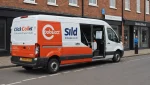
Metrobi is transforming bakery deliveries
Specialized solutions for bakery businesses:
- Bakery-trained drivers
- Proper handling equipment
- Peak day delivery support
- 23% average cost reduction
Choosing a platform for your online bakery menu
Four routes, each sensible for a different bakery.
Digital menu and QR platforms. Tools built to put a menu on a phone screen and keep it current: ChoiceQR, MenuTiger, Menubly and similar. Cheap or free at the entry level, fast to set up, and strong on the thing that matters day to day: you update a price from your phone and every scan sees it immediately. Menubly gives you both a QR code and a shareable link you can drop into an Instagram bio or a Google Business Profile, which covers nearly every place a customer might look for you.
Bakery-specific ordering systems. Platforms like Orderable, OrderTiger, UpMenu and Jamezz are built for food ordering rather than menu display, and handle pickup scheduling, pre-orders, and in some cases self-order kiosks and third-party courier integrations. Jamezz, for example, bundles QR ordering with a commission-free webshop and pre-order management. More to configure, and more capable once it is.
Your own website. If you already run WordPress, Shopify, or Squarespace, a menu page plus a store plugin keeps everything on your domain and your brand. Most control, most maintenance, and the route that compounds, because the traffic and the customer data stay yours.
Third-party marketplaces. DoorDash, Uber Eats, and the rest bring discovery you did not have to earn, at a commission rate that will reshape your margins. Useful as a channel, dangerous as the only channel, and a poor place for your menu to live canonically.
The commission question is worth doing arithmetic on rather than feeling your way through. A platform taking a quarter of each order out of a category you price at bakery margins is a very different proposition from one taking a flat monthly fee, and the break-even is usually lower than owners expect.
How to set up items on an online bakery menu
This is the part that takes an afternoon and determines whether the thing works.
Group items the way customers shop, not the way you bake. Breads, pastries, cookies and bars, cakes, savory, drinks. Your production categories are not customer categories, and nobody is browsing by “laminated.”
Write one real line per item. Name, size or count, and one concrete detail. “Morning bun — laminated dough, orange zest, cinnamon sugar” earns the click. Online you have slightly more room than on a board, so use it for the thing a stranger needs to know, not for adjectives.
Photograph the items you want to sell. Online menus are far more photo-driven than printed ones, and a bad photo is worse than none. Shoot in daylight near a window, on a plain surface, from a shallow angle, and do all of them in one session so they look like a set. Photograph your best margin items first. If you only get through eight, make them the right eight.
Mark allergens and free-from items at the item level. A gluten-free or vegan filter is one of the few genuine advantages a screen has over a printed card, and people actively search for it.
Set up variants properly. Half dozen, dozen, whole cake, by the slice. If a customer has to leave a note in a comments box to order what they want, the menu is unfinished.
Decide how custom cakes are handled. Either a real order form with lead time, size, flavor, and deposit, or an inquiry form that creates a conversation. What does not work is a photo gallery and a phone number, because that puts the whole transaction back in your busiest hour.
How to handle sold-out items and daily availability
Here is where bakeries differ from restaurants, and where most generic advice fails them. A restaurant can make another portion of pasta. You baked 40 croissants at 4 a.m. and that is the number that exists.
So availability management is not a nice-to-have, it is the core feature:
- Use real stock counts where your platform supports them. Set the morning’s quantity and let the system stop selling at zero rather than relying on someone to remember.
- Mark items sold out from the counter, not from the office. Whoever is at the register should be able to toggle an item off in two taps. If that requires a laptop, it will not happen.
- Cap order windows by capacity, not by clock. Fifteen pre-orders in a 7 to 8 a.m. slot is a different thing from fifteen spread across the morning.
- Put lead times on anything that has one. Celebration cakes, large platters, and wholesale quantities need a visible minimum notice, or you will spend your days declining orders you already accepted.
The fastest way to lose a new customer is to take their money for something you do not have. Outdated menus listing discontinued items damage trust directly: the customer orders, and then hears “we don’t make that anymore.”
Setting up pickup and delivery windows
Build pickup first. Across off-premise order mixes, pickup is consistently the larger share, with platform-level data putting it at roughly 55% of orders, and for a bakery it is also the cheapest channel to run, because the customer does the hard part.
A pickup flow that works needs four things: time slots tied to when items actually come out of the oven, a cap per slot, a clearly named collection point in the shop, and a name on the bag. Most pickup friction is not technical. It is a customer standing in the retail line holding a confirmation email while the person behind the counter looks for their box.
Delivery is the second build, and the constraint is logistics rather than software:
- Set a radius you can serve on your worst morning, not your best. Then set a minimum order value that makes the trip worth making.
- Choose who drives before you turn the feature on. Your own staff, a local courier partner, or a marketplace. Each has a different cost per drop and a different effect on whose customer it is.
- Batch deliveries into windows instead of promising on demand. A 9 to 11 a.m. window with six stops in one run is economic. Six one-off trips are not, and for baked goods the routing matters as much as the mileage, since soft items do not improve with time in a car.
- Charge for it honestly. A delivery fee that reflects the real cost loses you a few orders and keeps the ones you fill from costing you money.
If a bakery is moving from counter sales into regular route deliveries, that shift is a bigger operational change than putting a menu online, and the ordering system is only the front door to it.
Keeping your online menu and counter menu in sync
One source of truth, always. The commonest failure of an online bakery menu is not a bad design. It is a price online that is 40 cents lower than the board, because two people maintain two files.
Fix it structurally:
- Nominate one system as canonical and generate the others from it, even if “generate” means one person updating both on the same morning.
- Attach menu changes to a specific moment, such as the Monday open, so everyone knows when the price changed.
- Update your Google Business Profile too. Google lets you maintain menu items directly, and for many bakeries that listing gets more views than the website. It is also the place an out-of-date menu survives longest, because nobody thinks to check it.
Which items deserve the prime screen position, the photo, and the “most popular” badge is not a design decision. It is a data one, and it belongs to bakery menu engineering: you need unit sales and contribution margin per item before you know what to feature.
Frequently asked questions
How do I make an online menu for my bakery for free? Use a digital menu platform’s free tier. Menubly, MenuTiger and similar generate a mobile menu plus a QR code at no cost. Then link it from your site, your Instagram bio, and your Google Business Profile.
Do I need online ordering, or just an online menu? Start with a readable menu if your problem is that customers do not know what you sell. Add ordering when the phone is interrupting service, or when pre-orders and large orders are being lost.
Should I use DoorDash or my own site? Both, with your own site as the canonical menu. Consumers say they prefer it: 84% would order from a restaurant’s own website versus 71% from a third-party app, and the commission difference is substantial at bakery margins.
How do I stop people ordering things that sold out? Set stock quantities per item and give counter staff a two-tap way to mark something unavailable. For anything made to order, publish a lead time instead of a quantity.
Do QR code menus still make sense? For a bakery, yes, though for the update cycle rather than for contactless ordering. Prices and availability change faster than you can reasonably reprint.
What to do this week
Three steps, in order. Put a current, legible, mobile-friendly item list online with correct prices, even if that is all you do. Photograph your eight best-margin items in one daylight session and attach them. Then open pickup slots capped at a number your morning crew agrees with, and leave delivery until that runs clean for a month.
Do those and the picture of the printed board can come down.