
Most restaurant owners pick a menu maker by looking at templates, build something that looks good, and never touch the two things that actually move revenue: how the items are described and where the prices sit.
This guide handles both. First, the tool: there are two different kinds of restaurant menu maker, and choosing the wrong kind is what leads to a folder full of out-of-date PDFs. Then the part that pays for itself: the wording, pricing and placement decisions you make inside the tool. Your menu is also the thing every other system quotes from, so it is worth getting right before you wire it into an ordering system for restaurants or read it aloud to callers on a restaurant phone system.
The Bottom Line: Use a design tool (Canva, Adobe Express) if you print a menu once or twice a year and want full creative control. Use a live menu system (iMenuPro from about $11.25/mo, MustHaveMenus from about $24/mo) if you change prices often, because one edit updates the print file, the web menu and the QR code together. Then spend an afternoon on descriptions and price placement, which is where the measurable lift is rather than in the template.
Metrobi drivers are rated 4.97/5
Trusted by local businesses for:
- Background-checked professionals
- Specialized in business deliveries
- Same drivers for consistency
- 4.97/5 average delivery rating
Design tool or live menu system? The first choice a menu maker forces
Every restaurant menu maker falls into one of two camps, and UpMenu’s tested roundup splits them the same way.
Design tools give you a canvas. You lay the menu out, download a file, and print it. The menu exists as artwork. Change a price and you edit the artwork again, re-export, and reprint. Canva, Adobe Express, PosterMyWall and Fotor all work this way.
Menu systems hold your menu as data. Items, prices and descriptions live in a database, and the tool generates the print file, the web page and the QR menu from that single source. Change a price once and every surface updates. MustHaveMenus, iMenuPro and UpMenu work this way.
The decision is really about how often your prices move. If you reprint twice a year, a design tool is cheaper and gives you more creative latitude. If you have seasonal specials, weekly market pricing, or items that run out, a live system stops the slow drift where your printed menu, your website and your QR code all say different things.
The best restaurant menu makers compared
| Tool | Type | Free tier | Paid from | Best for |
|---|---|---|---|---|
| Canva | Design tool | Yes | $15/mo | Full creative control on an occasional reprint |
| Adobe Express | Design tool | Yes | $9/mo | A clean print-ready file, fast |
| Fotor | Design tool | Yes | $3.33/mo | Photo-heavy menus on a small budget |
| PosterMyWall | Design tool | Yes (watermarked) | $9.95/mo | Menus plus matching promo graphics |
| iMenuPro | Menu system | No | $11.25/mo annual | Frequent price changes, print plus QR |
| MustHaveMenus | Menu system | Yes | $24/mo | Ordering professional prints |
| MenuTiger | QR menu system | Yes | $14.45/mo annual | Digital-first table menus |
| QR Menu Generator | QR menu system | Yes | $9.90/mo | The cheapest working QR menu |
| Menubly | QR menu system | Yes (branded) | $7.99/mo annual | A single small venue |
| UpMenu | Menu system + ordering | No | $49/mo | Menu and online ordering in one |
A few notes on the ones worth a closer look.
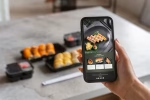
iMenuPro is built specifically for independent restaurants that reprint often. It handles letter, legal, tabloid, table tents, tri-fold takeout formats and custom sizes, turns a printed menu into a QR menu with one click, and updates prices in real time across both without a browser refresh. There is a free trial but no permanent free tier.
MustHaveMenus sits in the middle: it advertises over 16,000 restaurant templates, generates editable QR codes so a price change never needs a reprint, publishes a mobile menu, and will ship professional prints to you or hand you high-resolution files for a local printer. Published pricing comparisons list its Pro tier at $49/month or $492/year.
Adobe Express is the cleanest free design route. It states plainly that it is “Free to use. No credit card required,” with downloads as high-quality JPG, PDF or PNG. Canva is the other obvious free starting point and the one most operators already have an account for. We could not load its menu page directly, so we describe it only as what it advertises itself as: a free restaurant menu maker with a template library, paid from $15/month per UpMenu’s comparison.
How much a restaurant menu maker costs
Not much, which is why the tool is rarely the real constraint.
- Design tools: free to start, roughly $3 to $15 a month if you want premium assets and brand controls.
- Print-and-QR menu systems: roughly $11 to $49 a month, with the higher end including print fulfillment.
- QR-only menus: QR menu software runs between $0 and $179 a month in 2026, and most platforms have a workable free plan. Typical free tiers cover one restaurant, around 5 categories and 20 products, and put the vendor’s branding on the customer-facing menu.
- Full ordering platforms with menu management: from about $49 a month, and worth it only if you want the ordering too.
A useful guardrail: for a single independent venue, a QR menu should cost under about $10 a month. Anything above that should be buying you ordering, marketing or compliance features you would otherwise pay for separately.
What actually makes a menu sell more
The tool builds the artifact. These three decisions change the check average, and you make all of them inside whichever menu maker you picked.
Worth saying up front: the numbers below come from menu-psychology research that is widely cited but has drawn later scrutiny, particularly Brian Wansink’s body of work. Treat them as directional rather than as guarantees, and test on your own menu.
Write descriptions that name the flavor, not the ingredients
Descriptive item labels are the most-cited lever in menu research. A University of Illinois study by Brian Wansink reported a 27% sales increase for descriptively labeled items, along with higher perceived quality and value scores.
The practical version: “Grilled chicken sandwich” becomes “Charred lemon-pepper chicken, pickled slaw, brioche.” Two rules keep it honest. Name a cooking method or an origin, because those are what a guest can taste in their head. And keep it under about twelve words, because a paragraph on every item makes the menu unscannable and slows down your phone orders badly.
Put prices where guests read the food first
Cornell researchers testing three price formats ($14.00, 14, and “Fourteen dollars”) found that numerals alone performed best, with removing currency symbols raising average spending by 8.15%.
The bigger structural mistake is the right-aligned price column. A neat column of prices trains guests to scan down the prices and pick the cheapest thing, because the prices are the only thing that lines up. Set prices directly after the description instead, in the same size type as the body text, with no dot leaders. Every tool in the table above can do this; most templates default to the column, so you have to change it deliberately.
Cut the item count before you add anything
Streamlining a menu is reported to lift profits by 10% to 15%, and the guidance most often given lands around 35 items total: fine dining at 5 to 7 appetizers and 6 to 9 entrees, casual dining at 8 to 12 and 12 to 18, quick service at 6 to 8 core items.
Placement inside each category matters too. Roughly a third of diners order the first item they see in a category, so put your best-margin dish first, not your cheapest. And the top-right area of a folded menu reportedly draws around 35% more visual attention than the rest of the page, which is where a high-margin signature item earns its keep.
Building a menu that holds up for takeout and delivery
A menu that works in the dining room can fail completely in a box, and most menu makers will happily let you ship that mistake.
Three adjustments are worth making while you are in the tool:
- Flag what travels. Add a simple marker for items that hold up for 20 to 30 minutes in transit. It reduces refunds more than any packaging upgrade.
- Keep the delivery menu shorter than the dine-in menu. A tighter list means faster ticket times during the rush and fewer items sitting under a heat lamp waiting on a slow one.
- Write descriptions that survive being read aloud. Your staff will read these over the phone, and a voice assistant may too. An item name that needs visual context does not work on a call.
Once those orders leave the kitchen, the menu’s job is done and the route’s job begins. Metrobi handles local deliveries that are planned and posted ahead, single-stop or multi-stop, with multi-stop route optimization, real-time driver tracking, proof-of-delivery photos and customizable notifications on dispatch and arrival. That is what keeps a well-built delivery menu from being undone in the last twenty minutes.
QR code menus and when print still wins
QR menus won on cost and lost on browsing. They update instantly, cost almost nothing, and remove reprint cycles entirely. They also make it harder for a guest to scan the whole menu at once, which is exactly the behavior that drives add-ons and upsells.
The practical split most operators land on: a printed menu for the table where the browsing and the impulse ordering happen, and a QR or web menu as the always-current version for takeout, delivery and anyone checking you out before they arrive. A live menu system generates both from one edit, which is the strongest argument for paying for one.
Frequently asked questions
What is the best free restaurant menu maker?
Adobe Express for a print-ready file, since it is free with no card required and exports PDF, JPG and PNG. For a free digital menu instead, QR Menu Generator and Menubly both have working free tiers, with vendor branding on the customer-facing page.
Can I make a restaurant menu without design skills?
Yes, and a live menu system is the better bet if that describes you. Tools like iMenuPro auto-format as you type, so alignment, spacing and type sizing stay consistent without you managing them.
How often should a restaurant menu be updated?
Reprice whenever food costs move enough to compress a margin you care about; for most kitchens that is quarterly. Review the item list twice a year and cut the slowest sellers. If you are repricing more often than quarterly, you want a live menu system rather than a design tool.
Do I need a separate menu for delivery?
A separate version, not a separate menu. Same brand, shorter list, only items that travel well, with the packaging-sensitive dishes left off. Most menu systems let you publish a second variant from the same item data.
The Bottom Line
The menu maker matters less than what you put in it. Pick a design tool if you reprint rarely and a live menu system if your prices move, then spend your real effort on descriptions that name a flavor, prices set inline instead of in a column, and a shorter item list with your best margins placed first. Build a trimmed variant for takeout and delivery while you are in there, and you will have a menu that sells harder in the dining room and travels without falling apart.