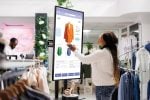

Walk through the back of any shop that packs orders before they go out and you will find the same three objects: a clipboard with a pick list on it, a whiteboard with yesterday’s numbers half-erased, and somebody shouting a question across the room. All three are doing the job of a screen, badly.
Digital signage for order fulfillment is a display driven by software instead of a printer or a marker. It shows the pick queue, the pack status, the route board, or whichever single piece of information the people at that station keep having to ask about. The technology is the same as the menu boards and airport departure screens you already know. The job is narrower and, in a business that ships goods, more useful.
This guide covers what digital signage actually is, the three things you buy, which station on your floor deserves the first screen, what to put on it, and what it costs in 2026. If you are still deciding whether a screen beats a printed sign at all, our comparison of static and digital signage prices both over three years. If you have already decided and want to know which platform to run, start with how to find digital signage software that fits a small shop.
The Bottom Line
- Digital signage is three things bought together: a display, a small media player, and software that decides what appears when. Nothing more exotic than that.
- On a fulfillment floor the screen’s job is not advertising. It is removing the question somebody asks forty times a shift.
- Picking accuracy is where the money is. Best-in-class order-picking accuracy sits at 99.68% (WERC DC Measures 2025, as reported by Xorosoft), and at 99% a shop doing 100,000 orders still ships about 1,000 wrong ones.
- One screen runs roughly $500 to $1,500 all-in for the first year if you keep it simple (Yodeck, 2026), and $1,800 to $3,500 if you buy a commercial display and pay for installation (CrownTV, 2026).
- Software is the cheap part, at $8 to $30 per screen per month. The display and the labour to mount it are what you are really budgeting for.
Metrobi drivers are rated 4.97/5
Trusted by local businesses for:
- Background-checked professionals
- Specialized in business deliveries
- Same drivers for consistency
- 4.97/5 average delivery rating
What digital signage is, in plain terms
Digital signage is any screen whose content is controlled by software rather than replaced by hand. That is the whole definition. A television showing a slideshow from a USB stick is not digital signage, because changing it means walking over with a stick. A television showing the same slideshow from a program you can edit on your phone is.
The distinction matters because it is the only thing you are buying. Nobody needs a screen for its own sake. What a shop needs is the ability to change what the screen says without stopping work, and to have it change itself when the underlying facts change.
Three capabilities follow from that:
- Scheduling. The screen shows the morning pick queue at 6am and the afternoon dispatch board at 2pm without anyone touching it.
- Remote control. You edit from a laptop or a phone, including from somewhere other than the building.
- Live data. The screen reads from another system (your order platform, a spreadsheet, a dashboard) and updates itself as that system changes.
That third one is what separates a useful fulfillment screen from an expensive poster. A board showing numbers somebody typed in this morning is a whiteboard with a power cable.
The three parts of a digital signage system you actually buy
Every setup, from one screen in a prep kitchen to forty across a warehouse, is the same three components.
| Part | What it does | What it costs | What to watch |
|---|---|---|---|
| Display | The screen people look at | $1,000–$2,500 for a commercial 43–55″ panel; far less for a consumer TV | Commercial panels are rated for 16+ hours a day; a consumer TV in a warehouse will die early |
| Media player | A small box that drives the content | $80–$150, often included free on an annual software plan | Some displays run the software built in, with no separate box |
| Software | Decides what shows, when, and pulls in live data | $8–$30 per screen per month | Integrations matter more than templates on a fulfillment floor |
Display and player figures are from Yodeck’s 2026 cost breakdown.
The order you choose them in is backwards from how most people shop. Pick the software first, because it decides whether the screen can read your order data at all. The display is a commodity. The player is usually whatever the software vendor supports or ships you.
Hardware support is the thing to check while you are comparing platforms. Most vendors publish which operating systems and devices they drive. NoviSign’s software page is a representative example, covering Android, Windows and the display-native systems built into commercial Samsung and LG panels. A platform that supports what you already own saves you the player entirely.
Why paper falls behind on a fulfillment floor
A printed pick list is accurate at the moment it prints. Everything that happens after that makes it a little more wrong: a cancelled order, a substitution, a customer who moves a delivery window, a van that arrives early. By mid-morning the paper and the reality have drifted apart, and the gap gets closed by someone asking someone else.
That asking is the cost. It is not dramatic, which is why it goes unmeasured for years: thirty seconds here, a walk across the floor there, one pack bench idle while a packer waits for an answer.
The errors are easier to count. Best-in-class order-picking accuracy is about 99.68%, per WERC’s 2025 DC Measures data as reported by Xorosoft, and even that leaves room. The same analysis makes the arithmetic plain: a shop running 99% accuracy across 100,000 orders ships roughly 1,000 incorrect ones. Each of those turns into a phone call, a credit, a re-delivery, and a customer who now checks their boxes.
Volume is making this worse rather than better. Off-premises orders now account for a larger share of sales than in 2019 for 58% of limited-service and 41% of full-service operators, according to the National Restaurant Association (2025). Most back rooms were laid out for a quieter version of the business.
Which station earns your first screen
You do not roll out digital signage. You put up one screen where the confusion is worst, leave it for a month, and see whether anyone asks for a second. Here is how the four candidate stations compare.
| Station | Who reads it | What it removes | Hardware needed | Worth going first? |
|---|---|---|---|---|
| Pick station | Pickers | “Which order am I on and what’s in it?” | One screen, plus a software integration with your order system | Yes, if picking errors or pick speed is your complaint |
| Pack bench | Packers, QC | “Is this order complete and where does it go?” | One screen, ideally fed by the same integration | Yes, if orders go out short or mislabelled |
| Dispatch board | Managers, drivers | “Which runs are loaded, which are late, who’s taking what” | One large screen, high up, visible from the loading area | Yes, if your bottleneck is at the door rather than on the floor |
| Driver arrival point | Couriers and drivers | “Where do I park, who do I ask, which load is mine” | One screen near the dock or back entrance; brightness matters | Only after one of the above is working |
A note on the obvious fourth option: a customer-facing screen at the pickup counter is a good investment, but it is a different job with a different audience, and it does not fix anything behind the wall. If your problem is the handoff to customers rather than the work that precedes it, that is the screen to buy. Just do not expect it to improve your pick rate.
For most shops that ship goods, the pack bench is the honest answer. It is the last point where an error is still cheap to fix.
The driver arrival point deserves one extra note, because a screen there is often solving the wrong problem. If couriers are idling at your back door because nobody knows which load is theirs, a sign helps. If they are idling because the routes themselves are a mess, it does not. That is a dispatch problem rather than a display problem, and it is usually answered by better route planning, or by handing the driving to a delivery partner that runs across major US metros, courier services in Los Angeles among them. A screen that explains the chaos more legibly does not fix it.
What belongs on an order fulfillment screen
The failure mode is putting everything on it. A screen with eleven panels of information is read by nobody, which makes it indistinguishable from a screen that is switched off.
Pick one question per screen and answer it in text large enough to read from wherever the reader actually stands. That is usually three to five metres away, not one.
Good content for a fulfillment screen:
- The live queue. Orders waiting, in sequence, with the next three highlighted.
- Status by order. Picked, packed, checked, staged, loaded. One word per order, updated as it happens.
- Exceptions only. Short items, held orders, substitutions. The normal cases do not need announcing.
- Today’s cut-off times. When each route or carrier leaves, counting down rather than stated.
- One number that matters. Orders out versus orders due, or on-time percentage. One, not six.
What to leave off: the company mission, a stock photo of a smiling driver, a motivational quote, a rotating carousel of anything. Every one of those costs you a slot that a working fact could occupy, and each rotation is a moment when the thing someone needs is not on the screen.
What digital signage costs for one screen in 2026
Published 2026 estimates vary more than you would expect, and the variation is almost entirely about whether you buy commercial hardware and pay someone to mount it.
Yodeck puts most single-screen setups at $500 to $1,500 all-in for the first year, with professional installation at $200 to $500 per screen. CrownTV models a typical commercial screen at $1,800 to $3,500 fully installed in year one, then $300 to $700 a year ongoing.
Both can be right. The low end assumes a screen you already own, a $100 player, a cheap plan, and a mount you fit yourself on a Sunday. The high end assumes a commercial panel rated for all-day use, a professional install with power and network run to the wall, and a mid-tier plan.
For a first screen in a back room, the low end is the realistic budget. Back-of-house screens are seen by staff, not customers, so the case for a premium panel is weaker, with one exception. A screen near a loading door in daylight needs brightness, and a dim consumer TV there is money wasted.
Ongoing cost is small and predictable: software plus electricity plus a maintenance reserve lands at $15 to $50 per screen per month on CrownTV’s numbers. That predictability is most of the argument against printed signs, which is the comparison our static versus digital signage breakdown works through properly.
How to roll out your first screen in four weeks
- Week one: watch and write down the question. Stand at the station for an hour and record what people ask each other. The most repeated question is your screen’s content. Do not design anything yet.
- Week two: pick software and test it on a laptop. Nearly every platform has a free tier or trial. Mirror a laptop to a spare monitor and run your intended layout for a few days. This catches the integration problems before you have bought anything.
- Week three: mount the screen and run it in parallel. Keep the paper or the whiteboard up alongside it. Where the two disagree, the screen’s data source is wrong and needs fixing.
- Week four: remove the paper and see what breaks. If nothing does, you have a working screen. If something does, you have learned exactly what the paper was quietly doing.
Resist adding screens two through five in the same month. The second screen is much easier to specify once the first has told you what people actually read.
Mistakes that make a fulfillment screen worse than a whiteboard
- Typing the content by hand. If someone updates the screen manually, it will be out of date by lunch and ignored by Thursday. The integration is the product.
- Mounting it where there is no reason to look. A screen behind a packer’s shoulder is furniture. Eye level, in the direction people already face.
- Letting it rotate. A fulfillment screen should be static in layout and live in content. Carousels mean the fact you need is off-screen half the time.
- Buying a consumer TV for a bright or cold space. Loading areas and walk-in-adjacent spaces are hard on panels not built for them.
- No plan for failure. When the screen dies or the network drops, what do people do? Keep the whiteboard on the wall, blank, as the documented fallback.
Frequently asked questions about digital signage for order fulfillment
Can I use a regular TV for digital signage?
Yes, and for a back-room screen running eight to ten hours a day it is usually the right call. Consumer TVs are not rated for continuous operation and lack the brightness for daylight-facing spots, but they cost a fraction of a commercial panel. Most signage software runs on an inexpensive external player plugged into any TV with an HDMI port.
Does digital signage need internet?
For setup and content changes, yes. For day-to-day display, most platforms cache content locally and keep playing through a dropout. Live data is the exception: a screen reading your order queue in real time is only as current as its connection.
How many screens does a small shop need?
One, until it proves itself. A single screen at the station with the most repeated question delivers nearly all of the available benefit, and it is the cheapest way to find out whether the second screen is worth buying.
What is the difference between digital signage and a kitchen display system?
A kitchen display system is a specialised piece of production software with its own screen, tied to your order flow and designed for ticket management. Digital signage is general-purpose: it will display anything you point it at, including a view of your order data, but it does not manage the work itself.
Can one screen serve both staff and customers?
Not well. The two audiences need different information, stand at different distances, and read at different moments. A screen trying to reassure a waiting customer and direct a packer will do neither job properly.
Where to start
Spend an hour at the busiest station and write down the question people keep asking. If it is the same question most of the day, a screen will pay for itself faster than almost anything else you can buy for the back room. If the questions are all different, your problem is not information display and a screen will not fix it.
Then separate the two decisions that follow. Whether a screen is worth it at all, against a printed sign, is a cost question answered over three years. Which platform to run it on is a question about what your systems can talk to answered by what your order system can talk to. Both have their own guide, and taking them in that order saves buying hardware you then discover the software cannot use.