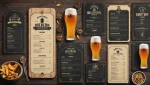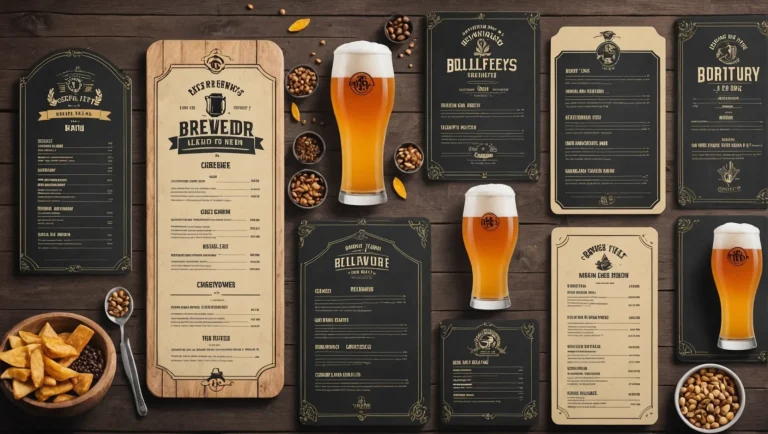

A template won’t tell you what to put on your menu. It will stop you spending a Sunday fighting with text boxes, and it will stop your tap list looking like a spreadsheet.
That’s the honest pitch. The best brewery menu templates are a shortcut past the layout problem, and the layout problem is the one that keeps a perfectly good beer list sitting in a notes app. What the template can’t do is make the decisions: which beers lead, how many items per section, where the to-go block sits. Those come from the complete guide to brewery menu ideas, and they’re worth settling before you open a design tool.
Everything below was checked on the provider’s own page in October 2026, so the costs, gating and export formats are what the page actually says rather than what a roundup remembered. Where a site blocked us, we’ve said so instead of guessing. Then there are three real brewery menus, structure by structure, because a working menu from a real taproom teaches more than any blank layout.
The Bottom Line
- Decide print or digital first. It’s the only choice that changes which tool you need, and most of these do one well and the other badly.
- MyCreativeShop was the clearest on print specifics: 15 beer menu designs, two sizes, and 300 DPI PDFs in both no-bleed and full-bleed commercial versions.
- For a free digital menu with a shareable link, Menuzen’s brewery template sits on a $0 “Free Forever” tier, though QR codes sit on a paid plan and signup is required.
- BeerMenus is the only tool here that fills in the beer data for you, pulling name, style, ABV, description and brewery from a database of 350,000-plus beers, at $49 to $99 a month.
- The best example we found was San Juan Island Brewing’s: flights at the top, beers split into lagers and ales, a dedicated N/A and gluten-free block, and “Beer To Go” as its own section.
Boost customer satisfaction with just a few clicks
Most-Loved Features:
- On-demand drivers
- Real-time GPS tracking
- Delivery confirmation photos
- Over 50% of customers report a smoother delivery experience
What to look for in a brewery menu template
Five questions separate a template you’ll use from one you’ll abandon.
Print or digital? A print template gives you a file to send to a printer. A digital one gives you a page and a link. A few tools do both, but most lean hard one way, and picking the wrong lane is the most common waste of an afternoon. If your tap list changes weekly, the digital route and the screens that go with it are covered in the guide to keeping an online brewery menu current.
Can it hold a beer line? A beer needs name, style, ABV, a short tasting note and often two pour prices. Generic restaurant menu templates give you a name, a description and one price, and the ABV ends up jammed into the description. The same mismatch runs the other way: if you also have a coffee program or a second concept, the layouts in our best coffee shop menu templates roundup are built for sizes and milk options rather than ABV, and a beer template handles them badly.
Does it have room for the blocks you need? A to-go section, a non-alcoholic section, flights. Templates designed for bars often have none of these.
What does it actually cost, and when does it ask? Several tools here advertise free and reveal pricing at export. That’s not dishonest, but it’s worth knowing before you’ve laid out twenty beers.
Does your food list fit? If you serve food, the template has to carry two quite different lists without looking like two documents stapled together. If you haven’t decided whether to serve food at all, that decision comes first. Serving food at your brewery covers the models and the money.
Metrobi is transforming beverage deliveries
Specialized solutions for beverage businesses:
- Beverage-trained drivers
- Proper handling equipment
- Peak day delivery support
- 23% average cost reduction
The best brewery menu templates, compared
| Tool | Print or digital | What the page states on cost | Account needed | Output |
|---|---|---|---|---|
| MyCreativeShop | “Start free”; no pricing stated on the page | Not stated | 300 DPI PDF (no-bleed and full-bleed), web JPG | |
| MustHaveMenus | Not stated on the category page | Not stated | Menu maker editor; print service offered | |
| Menuzen | Digital | Free “Free Forever” tier at $0 | Yes | Online editor, shareable link; QR on paid plan |
| Yumzi | Both | Paid plans; price redacted on the page | Yes | PDF via “Print Studio”; QR menu as separate product |
| BeerMenus print tool | $49–$99/month, or $499–$599/year | Yes, plus a place listing | Downloadable PDF, portrait or landscape, 1–3 columns | |
| Canva | Both | Page blocked automated access | Not verified | Not verified |
MyCreativeShop beer menu templates
Best for: a print-ready file you can hand to a commercial printer without a design round-trip.
MyCreativeShop’s beer menu collection was the most specific of any provider about what you get out the other end. The page shows 15 beer menu designs in two sizes, 8.5″ × 11″ and a 4″ × 9″ card format, and lists three download options: a 300 DPI PDF for printing at home with no bleed, a 300 DPI PDF with full bleed for commercial printing, and a web-quality JPG. It also offers to print the menus for you.
The full-bleed option is the detail that matters. If you’re sending a menu to a real print shop, a no-bleed file is the thing that comes back with a white edge. Most free template tools don’t offer the distinction at all.
The page shows a “Start free” entry point but doesn’t state pricing, so expect to find out what it costs at the download step.
MustHaveMenus printable beer menu templates
Best for: browsing a lot of themed print designs before committing to a look.
MustHaveMenus’ beer menu category is the broadest print library of the group. The page shows roughly 60 or more designs spread across full-page and half-page layouts and a range of visual themes. Templates are edited in the site’s own menu maker, and print services are offered separately through the site.
What the category page doesn’t tell you is price, account requirements, or export formats, so this one’s strength is the browse rather than the specification. Use it to decide what you want your menu to look like, then check the terms before you build the whole thing there.
Menuzen free brewery menu template
Best for: a free, shareable brewery menu with a link, when you don’t need print.
Menuzen’s brewery template is the clearest free option here. The page states a “Free Forever” tier at $0 and describes an online editor with pre-designed, customisable layouts. You can start on a computer and continue on a phone, and each menu gets its own link so customers can open it on any device.
Two things to know before you commit. Signup is required; the “Start Designing” buttons lead to account creation. And QR codes are listed as a feature of the paid Grow plan rather than the free tier, which matters if a QR code on the table was the whole reason you came. The page doesn’t state export file formats and doesn’t mention printing, so treat this as a digital-first tool.
Yumzi beer menu templates
Best for: wanting one account to produce both a printable PDF and a QR menu.
Yumzi’s beer menu templates are presented under a “50+ Customizable Designs” heading, with 12 shown on the page. The workflow runs through an online editor the site calls Print Studio: pick a template, add your content, and it produces a static menu for PDF or print. Separately, the platform offers digital menus with QR and WhatsApp sync.
Pricing was redacted on the page when we checked: it referenced paid plans starting at a figure that didn’t render, alongside a free trial route via “Create QR menu”. An account is required. So the dual print-and-digital capability is real and verifiable; the cost is not, from this page alone.
The BeerMenus print menu tool
Best for: taprooms with fast-rotating taps and a lot of guest beer to type up.
This is the only tool in the list that solves a data problem rather than a design problem. BeerMenus’ print menu feature pulls from a database of more than 350,000 beers, so adding a beer to your menu brings its name, description, ABV, style and brewery location with it. Output is a downloadable PDF, with portrait or landscape orientation and one to three columns, and you can suppress descriptions to save space.
The requirements are real, though. You need your business added to BeerMenus as a place listing, and the page states pricing from $49 to $99 a month month-to-month, or $499 to $599 a year annually (page last updated March 2024, so confirm current pricing).
Whether that’s worth it comes down to one question: how many beers you don’t brew are on your taps. A brewery pouring only its own beer gains little from a beer database. A taproom rotating twelve guest taps a week is currently retyping all of that by hand.
Canva beer menu templates: not verified
Canva’s beer menu template listing appears prominently for this search and advertises 90-plus beer menu designs in an online editor. We couldn’t confirm anything further: the page returned a 403 and blocked automated access, so we haven’t verified the count, the free-versus-paid split, the export formats or the account requirement.
We’ve left it in because it’s a popular option and you may already have an account. We’re not describing what it contains, because we didn’t see it.
Templates for screens rather than paper
If your menu lives on a TV behind the bar, a print template is the wrong tool. These two are the layout equivalents for screens, and both published enough detail to check.
Evergreen publishes a brewery-specific guide to digital menu boards that puts setup at $1,500 to $3,500 for hardware and software, $75 to $150 a month in software after that, and recommends 55-to-75-inch screens for most taprooms. It compares that against $600 to $1,200 a year in reprinting and claims a 12-to-18-month payback (Evergreen, May 2026).
Raspberry Pints publishes the most useful field list we found for a beer line on a screen: name, style, ABV, IBU and price per pour size as essentials, with a three-to-five-word tasting note, pairing suggestion, source brewery and availability status as strong additions. It describes a 30-to-60-second edit cycle from any device (Raspberry Pints, January 2026).
Both are vendor publications, and the sales-lift percentages in this category come from vendor case studies with no stated methodology, so use the cost and specification details and discount the uplift claims.
Three real brewery menus worth copying
A template gives you a frame. These give you the decisions, and all three are live menus you can open and read.
San Juan Island Brewing: the structure to copy
San Juan Island Brewing’s menu does nearly everything the structure guidance recommends, in the right order.
Flights come first, pre-selected or custom, which puts the highest-value option in front of the undecided table before anything else. The beers then split into Lagers and Ales rather than being listed by tap number, so a guest navigates by weight. Each beer carries name, ABV, IBU and real tasting notes with a single price per serving.
Two blocks are the reason this one is worth copying. There’s a distinct “N/A & GF Beer” subsection with individual pricing, so the non-drinker and the coeliac guest aren’t asking a server. And “Beer To Go” is its own section, with growler fills at two sizes plus cans as singles, four-packs and cases. Food runs Starters, pizzas, Handhelds, Soups & Salads, Dessert and Kids, with substitutions and add-ons priced individually.
Steal this: flights at the top, beers grouped by style family, and a to-go block that’s a real section rather than a footnote.
That to-go block is also the part of the menu that can outgrow the counter. Once four-packs and crowlers are moving in volume, a beverage delivery service takes the driving off your bar staff, and the menu then needs pack sizes and a delivery window rather than pour prices.
Celebration Brewing: dietary tags and non-alcoholic parity
Celebration Brewing’s menu leads with food rather than beer: pizzetta and calzone, handhelds, mains, craft burgers, salads and wraps, shareables, desserts, sides. That is the right call for a kitchen-forward brewpub.
Two details stand out. Every food item carries dietary tags, with abbreviations for vegetarian, vegan, gluten-free, dairy-free and spicy, so the allergen conversation mostly happens on the page. And the non-alcoholic section gets the same treatment as the beer: listed at 0.5% ABV with hop-forward descriptions, rather than “soda, ask your server.” Beer crowlers to go get their own named section with full ABV and IBU specs.
Steal this: dietary abbreviations on every food line, and writing your non-alcoholic options with the same care as your IPAs.
Town Hall Brewery: allergen markers and a catering block
Town Hall Brewery’s food menu is a straightforward restaurant structure done cleanly: Appetizers, Salads & Soups, Entrees, Burgers, Sandwiches & Such, Kids, Desserts, Happy Hour Apps, and then catering platters.
The allergen markers are the useful part: (V), (VG) and (GF) in parentheses on the relevant items, along with explicitly priced substitutions and add-ons and the raw-food consumption advisory near the top. The catering section is the quiet lesson: it turns a food menu into a sales page for a second revenue line that most taprooms never mention on theirs.
It also shows what happens without the other blocks. There’s no dedicated non-alcoholic section and no beer to-go block on this page, and a $1 to-go charge appears as a note rather than as part of a to-go section. If you’re copying the clean category structure, add those.
How to use a brewery menu template without looking like everyone else
A template’s weakness is that other people use it too. Four edits fix most of that, and none need a designer.
- Replace the typeface pairing: It’s the single biggest signal that a layout came out of a box.
- Cut a section you don’t need. Most templates ship with more blocks than you use, and an empty or padded section is what makes a menu look generic.
- Reorder to match your beer. Templates default to a sensible generic order. Yours should lead with what you want to sell.
- Write your own descriptions: Placeholder copy survives into live menus more often than anyone admits. Fifteen words per beer, in your own voice.
Frequently asked questions
Are there free brewery menu templates?
Yes. Menuzen’s brewery template sits on a stated $0 “Free Forever” tier, though it requires signup and puts QR codes on a paid plan. Several other tools advertise a free entry point without stating pricing on the template page, so check the cost before you build your whole menu in one.
What’s the best brewery menu template for printing?
MyCreativeShop was the clearest on print specifics, offering 300 DPI PDFs in both no-bleed and full-bleed commercial versions at two sizes. The full-bleed file is what a commercial printer actually needs.
Can I get a brewery menu template that fills in beer details automatically?
BeerMenus’ print tool does, drawing name, style, ABV, description and brewery from a database of over 350,000 beers. It requires a BeerMenus place listing and a subscription, which the page lists at $49 to $99 a month.
Should a brewery use a template or hire a designer?
Use a template until your menu structure has stopped changing. Paying for custom design while you’re still adding a to-go block and moving flights around means paying for the same work twice.
What size should a brewery menu be?
The common print sizes offered by template providers are a full 8.5″ × 11″ page and a narrow card around 4″ × 9″. The card suits a tap list at the rail; the full page suits a combined beer and food menu at tables.
Where to start
If you’re pre-opening, build the menu before the signage. It forces decisions about taps, food and to-go that otherwise get made by accident, and it’s cheap to redo at this stage, which is why it belongs alongside the rest of the opening sequence in how to start a brewery.
Pick the lane first. If you need something on a table this week, start with a print template and the full-bleed PDF. If your taps rotate faster than you can print, skip paper templates and go to a digital tool with a shareable link.
Then open San Juan Island Brewing’s menu alongside whichever template you chose and copy the structure, not the beers. The sequence of flights, beers by style family, non-alcoholic, to-go and food does more for your sales than any typeface will.