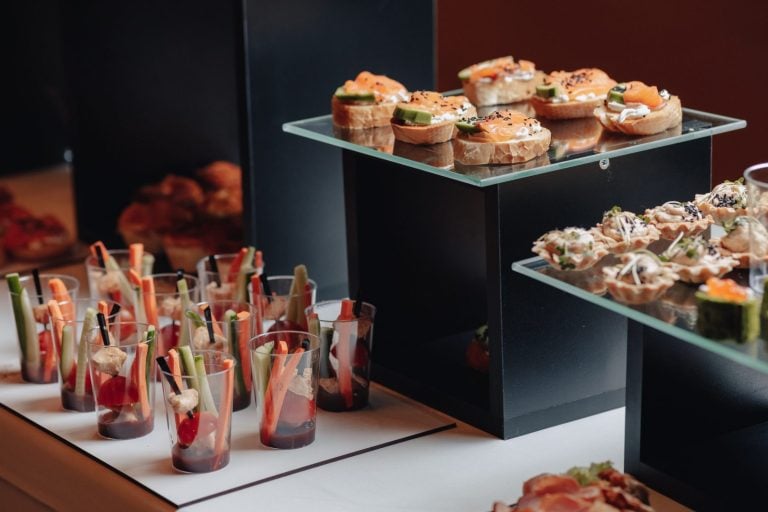

The fastest way to write a catering menu is to look at menus that already work and steal their structure. Not their food. Their structure: how they tier packages, where they put prices, how they label allergens, and where they state the minimum and the lead time.
So this round-up is split that way. First, six real published catering menus and what each one does structurally that’s worth copying. Then six template sources you can download and fill in today, plus a comparison of which ones actually include per-person pricing and allergen fields, because most of the popular ones don’t. If you need the underlying theory first, our guide to what a catering menu is covers every part one needs, and how to create a catering menu walks the build in order.
The Bottom Line
- Real menus tier three different ways: by presentation (Mangia), by quantity (Zingerman’s Catering), and by service format (Zingerman’s Roadhouse). Pick one axis and commit to it.
- Of the 15 catering template sources we checked, only three carry structured per-person pricing and allergen fields, and none of them are the famous design platforms.
- The design-first libraries (Canva, Adobe Express, Venngage, MustHaveMenus, PosterMyWall) give you free-text price boxes and no allergen key at all.
- Two of the biggest names in templates, Microsoft Create and Smartsheet, have no catering-specific menu template at all.
- Plenty of live catering menus publish no prices, no allergen labels, and no lead times. They look like menus and function as brochures.
We checked every link below on 21 November 2026 and note where a page wouldn’t load for us.
Boost customer satisfaction with just a few clicks
Most-Loved Features:
- On-demand drivers
- Real-time GPS tracking
- Delivery confirmation photos
- Over 50% of customers report a smoother delivery experience
Real catering menu examples worth copying
1. Mangia (New York): tier the presentation, not the food
Mangia’s catering menu does something most caterers never think of: it sells the same food in two presentation tiers. The Classic line arrives in disposable kraft boxes. The Boardroom line arrives in cherry wood boxes with white porcelain, at a 15% upcharge. There’s an à la carte section alongside both. Presentation only matters if the food arrives on time, which is why Anna’s Taqueria, a seven-location Boston-area chain, added Metrobi for catering after its other delivery partners couldn’t keep up reliably.
That’s a premium tier that adds no prep steps. Per-person items run from $4.50 to $29, there’s a 6-person minimum, and dietary icons cover a vegan leaf plus (veg) and (gf). The menu also states its fees openly: 7% gratuity on weekdays and 10% on weekends, plus a 5% administrative fee, with small surcharges for specialty wraps, labeling, and thermos upgrades. Rentals are itemized separately, and cancellations need 24 hours’ notice, with same-day cancellations for six or more people billed in full.
Copy this if: you want a premium tier without changing your kitchen, and you want the fee conversation settled before the invoice.
2. Zingerman’s Catering: price by quantity when the headcount isn’t firm
Zingerman’s sandwich basket menu prices by tray size rather than per head: Mini at 5 sandwiches, Smaller at 10, Medium at 20, Bigger at 30, from $115 to $825, with a bump for adding cookies and brownies. A per-person figure sits alongside for clients who prefer it.
Two more things worth stealing. Instead of discounting the main line, it runs an openly labeled lower-priced parallel line, which protects the perceived value of everything above it. And the 48-hour lead time is framed as what makes the order right rather than as a rule you’re imposing. The allergen key is the most thorough we found on a live menu: vegetarian, vegan, gluten-free, dairy-free, and nut-free.
Copy this if: you do drop-off volume where clients book before they know their final headcount.
3. Zingerman’s Roadhouse: tier by service format
The Roadhouse catering packages organize per-person pricing by service style crossed with meal: breakfast $25–$35, plated brunch $20–$22, buffet lunch $38, plated lunch $32–$35, buffet dinner $54, family-style $40–$70, plated dinner $40–$52, bar $26–$48.
Inside each package, selection is constrained to “choose up to 2” and “choose 1,” which keeps the prep list finite. Premium upgrades are priced per person, such as an extra $12 a head for a prime rib carving station. Fees are stated: 6% Michigan sales tax plus a 20% execution fee, with beverages, tax, and gratuity excluded from quoted prices.
Copy this if: you offer more than two service formats and clients keep comparing your plated price to someone else’s drop-off price.
4. Princeton Campus Dining: how institutions enforce minimums
Princeton’s campus catering menu is a useful contrast because it’s written from a position of being able to say no. Per-person pricing throughout, 25-person minimums per item, and a single-letter allergen key: V for vegan, G for made without gluten.
Note this is the 2024-25 academic year edition, so read it for structure rather than current prices.
Copy this if: you’re being worn down by small orders and want to see what a confidently enforced minimum looks like on a page.
5. Professional Foodservice: the corporate drop-off model
This corporate catering menu is a clean example of the drop-off economics: a $150 catering minimum, 10 people per buffet, per-person buffet pricing, and 48 hours’ advance notice requested politely rather than imposed.
A caveat on our verification: this is a large PDF our tooling couldn’t parse in full, so these details come from a single source rather than from reading the whole document, and it’s a 2023 edition. Treat it as a structural illustration.
Copy this if: your catering is mostly weekday corporate drops and you need to see how a dollar minimum reads next to a per-person price.
6. LS Catering: what happens with no prices and no labels
This sample menu set is here as the counter-example, and it teaches more than the good ones do. Thirteen menus grouped by cuisine and occasion: barbecue, classic Italian, Tex-Mex, Southern comfort, boxed lunch, stations, hors d’oeuvres. Well organized, nicely written, and it contains no prices anywhere, no dietary or allergen labels anywhere, and a lead time mentioned only for whole cakes and pies. Ordering is handed off to a third-party marketplace.
A buyer cannot build a budget from this page, and a guest cannot tell what’s safe to eat. That’s a brochure, not a catering menu.
Learn from this if: you’ve been told a clean design is what matters most. It isn’t. We cover the rest of the pattern in common catering menu mistakes.
Metrobi is transforming catering deliveries
Specialized solutions for catering businesses:
- Catering-trained drivers
- Proper handling equipment
- Peak day delivery support
- 23% average cost reduction
Free catering menu templates you can download today
7. Venura: free Word template with a real allergen key
Venura’s catering menu template is the best B2B template we found, and it’s a free Word .docx with no signup. It carries separate per-person prices for buffet, family-style, and plated service, two to three package tiers at set per-person prices, allergen letters beside each dish with a bottom key covering all nine major US allergens, and terms for minimum guest count, final headcount deadline, inclusions, extras, and a price validity window.
Best for: a caterer who needs the commercial structure right and will worry about design later.
8. MustHaveMenus: one design, print and digital versions
MustHaveMenus’ catering category holds roughly fifty-plus catering designs and can output the same file as print, PDF, digital signage, a QR menu, and a mobile menu. Designing is free; exporting and printing are paid.
Best for: a caterer who needs a printed leave-behind and a QR menu from the same source file.
9. Adobe Express: the largest catering-specific library
Adobe Express’s catering menu templates number 825 at the time of writing, the biggest catering-specific collection we found. Free and premium templates are mixed, with a filter to separate them, and you edit in the browser and export. A caterer that offers courier service in San Antonio could pick a template here and have a menu ready to send out the same afternoon.
Best for: finding a look you like quickly when design is your bottleneck.
10. Template.net: the widest format spread
Template.net’s catering menus cover Word, Google Docs, PDF, Google Slides, Illustrator, InDesign, PSD, Pages, Keynote, and Numbers. It’s the only source we checked that spans Google, Apple, and Adobe formats. Free with an optional paid subscription.
Best for: when your designer uses InDesign and you use Google Docs.
11. New Orchards: free menus and price lists together
New Orchards’ catering menu templates are free with no signup, in PDF, Word, and Excel, and the collection includes 25-plus catering menus plus catering price lists in the same place.
Best for: getting a menu and a matching internal price list without hunting for two separate downloads.
12. TheGoodocs: the Google Workspace route
TheGoodocs’ catering menu template is free with no account, in Google Docs and Word, at US Letter and A4. Attribution is required, which matters if you’re publishing it publicly.
Best for: a caterer who lives in Google Workspace and wants to edit a menu on a phone.
If you also run a cafe side of the business, the same evaluation applies to the drinks side of the menu, and we’ve done that round-up separately in our guide to the best coffee shop menu templates.
More catering menu template sources worth knowing
- Venngage. A catering-only gallery aimed at weddings, corporate, restaurants, and food trucks. Free tier plus paid Business templates. The page doesn’t state its export formats.
- PosterMyWall. 950-plus catering templates and the only source we found offering animated and social formats (Reels, TikTok, Shorts) alongside JPG and PDF. Free with a watermark; paid for a clean file.
- Vistaprint. Free to design, paid to print, with bi-fold and tri-fold options on sibling pages. The choice if you want a physical menu rather than a PDF.
- Flipsnack. A two-page interactive flipbook you can also export to PDF or print. Free template, signup required. Good for emailing a browsable menu to a corporate client.
- Edit.org. Catering and banquet event menus with matching flyers and cards, exporting to JPG, PNG, and PDF. Free with signup.
- My Word Templates. 11 catering-specific Word templates, downloaded directly as a .zip, with breakfast, lunch, dinner, appetizer, and pricing sections already laid out.
- Xenosoft Solutions catering pricing template. Not a client-facing menu but the costing sheet behind one. Excel, free with an email signup, and it computes per-head food cost, labor hours across prep, service, travel and breakdown divided by headcount, rentals, transport, and overhead, then applies margin to the full total. That’s the correct order of operations.
- MarketingFoodOnline’s event menu planner. A free internal Google Docs planner rather than a client menu: event overview, courses, dietary needs, portions, costs, and a prep timeline.
- Canva. Canva’s catering category is widely used and its SERP listing indicates 380-plus catering templates, but the page returned a bot block when we tried to load it, so we can’t verify its current contents or pricing from the page itself. Treat the specifics as unconfirmed.
Two honest negatives worth stating, because both are names people search for. Microsoft Create has a menus collection but no catering-specific template, only generic restaurant, café, wedding, and party menus. Smartsheet’s price-list templates are generic rather than catering-specific. And Printable Menu Lab’s free catering templates page, which still circulates in search results, now returns a 404.
Which catering menu templates include pricing and allergen fields?
This is the comparison that actually matters, and it’s the one nobody publishes. A template with no allergen structure hands you a compliance gap you inherit silently; a template with a free-text price box doesn’t help you price per person.
| Template source | Structured per-person pricing | Allergen key | Free without signup | Editable source file |
|---|---|---|---|---|
| Venura | Yes — buffet, family-style, plated tiers | Yes — all nine major US allergens | Yes | Word |
| MarketingFoodOnline planner | Yes — portions and cost per plate | Yes — plus icon guidance | Yes | Google Docs |
| Xenosoft (costing sheet) | Yes — full per-head build-up | No | Email signup | Excel |
| New Orchards | Price fields only | No | Yes | PDF, Word, Excel |
| My Word Templates | Price fields only | No | Yes | Word |
| TheGoodocs | Free-text price | No | Yes, attribution required | Google Docs, Word |
| Template.net | Free-text price | No | Free tier | 10 formats |
| MustHaveMenus | Free-text price | No | Free to design, paid export | Proprietary editor |
| Adobe Express | Free-text price | No | Free tier | Browser editor |
| Venngage | Free-text price | No | Free tier | Browser editor |
| Canva | Not verified (page blocked) | Not verified | Account required | Browser editor |
| PosterMyWall | Free-text price | No | Free with watermark | Browser editor |
| Vistaprint | Free-text price | No | Free to design, paid to print | Browser editor |
| Flipsnack | Free-text price | No | Signup required | Browser editor |
| Edit.org | Free-text price | No | Signup required | Browser editor |
The pattern is consistent: the better a catering template looks, the less commercial structure it carries. If you use a design-first template, plan on adding the per-person tiers, the allergen key, and the terms yourself. Our guide to essential catering menu items covers what to label and why.
How to use these examples
Pick your tiering axis from the real menus, then pick a template that won’t fight you on it.
If you want presentation tiers, you need a layout with room for two price columns. If you want service-format tiers, you need clear section breaks. If you want quantity tiers, you need a table. Choose the structure first and the typeface second, which is the opposite of how most catering menus get made.
And whichever template you start from, add the four things almost none of them include: your guest minimum, your order lead time, your cancellation window, and an allergen key on every page.
One last note on tooling. A template produces the document, not the order flow, so once the menu is settled, the next decision is how quotes, headcounts, and invoices actually move. We compare the options in our round-up of the best catering software tools for small businesses.