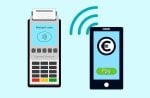


You know that moment when a customer’s face falls because your payment terminal won’t scan their phone? I still remember the Tuesday we lost half our regulars at my café – all because our clunky contactless payment machine added just three extra seconds to each transaction.
Here’s what they don’t teach in business school: your payment system is your last customer touchpoint, and frustration lasts longer than any aftertaste from great coffee. I watched Sarah’s popular bakery nearly go under last holiday season when her outdated card reader kept declining payments during peak hours.
The reality is simple – in 2025, if your contactless payment machine makes customers think twice, they’ll walk once. But get this right, and you’ll not only keep them coming back – you’ll turn checkout into your secret competitive advantage.
As Michael J. Kavanagh wisely said, “The right tools can turn a simple idea into a powerful engine for success.” In Sarah’s case, her choice of payment system turned into a liability instead of an asset.
This isn’t just Sarah’s story. It’s happening right now, in businesses across the globe. But what if I told you there’s a way to turn this potential disaster into your secret weapon? Discover how the Clover device can simplify your payment processes and enhance your business efficiency, ensuring you stay competitive in the evolving market.
In a world where 81% of consumers prefer contactless card payments, your store’s payment machine isn’t just a technicality – it’s the heartbeat of your business. The right decision can slash transaction times, uncover hidden costs, boost customer loyalty, and even give you an edge over competitors. The wrong one? Well, you’ve seen what happened to Sarah. One innovative alternative to traditional payment methods is utilizing a QR Code system, which provides easy, fast, and secure transactions. This system not only streamlines the checkout process but also enhances customer experience, allowing for quick and seamless payments while minimizing contact.
One of the hottest topics in the evolving payment landscape is the impact of NFC contactless payments. As we look toward 2025, understanding how to leverage this technology could significantly boost business success. Recognizing how to effectively implement NFC can set your business apart in a competitive market, seamlessly integrating convenience for customers and driving revenue growth.
This guide isn’t just about avoiding pitfalls. It’s about seizing opportunities you didn’t even know existed. We’ll dive deep into the features that matter, the security measures that protect, and the integration strategies that streamline faster payments. But more importantly, we’ll show you how to future-proof your business in a rapidly evolving payment landscape.
Are you ready to transform a potential weakness into your greatest strength?
Boost customer satisfaction with just a few clicks
Most-Loved Features:
- On-demand drivers
- Real-time GPS tracking
- Delivery confirmation photos
- Over 50% of customers report a smoother delivery experience
How to Choose the Best Contactless Payment Machine in 2025
-
Tailor your choice to your business size and needs.
-
Ensure compatibility with current systems.
-
Understand and plan for all associated costs.
Choosing the right contactless payment card reader or machine is crucial for efficient business operations. It involves understanding your business requirements and full potential, evaluating technological compatibility, and budgeting for all costs. One of the key trends influencing the payment landscape is how contactless payments are revolutionizing the operations of local shops. By adopting contactless solutions, businesses are not only enhancing convenience for customers but also streamlining their overall transaction processes. To dive deeper into this transformational shift, check out our article on how contactless payments are changing the game for local retailers.
As you explore the best practices for payment systems, understanding the impact of contactless payment solutions on local businesses can provide valuable insights. Not only are customers drawn to the convenience, but these systems enhance operational efficiency and customer satisfaction in ways that traditional methods cannot match.
Small to Mid-sized Businesses
Small to mid-sized businesses should focus on practical and easy-to-use payment machines in the store front. User-friendly interfaces are essential to minimize the learning curve for staff, so you want something straightforward. Look for options that offer multi-device compatibility.
Moreover, keep an eye on transaction fees. High fees can cut into profit margins. It is best to prioritize machines pos systems that offer competitive rates. Even if that means a slightly higher upfront cost, it can result in long-term cash savings. As a point of caution, “free” hardware sometimes pairs with higher transaction fees.
Large Businesses and Chains
For large businesses and chains, the priority is managing high transaction volumes seamlessly. Systems must be robust to handle peak times without lag. Advanced machines often come equipped with enhanced processing capabilities and redundancy features to ensure uptime and speed process transactions, essential for customer satisfaction.
Support and service become even more critical at this scale. Businesses require continuous, not intermittent, tech support. When evaluating providers, check their service track records. Real-world testimonials or case studies are excellent for assessing reliability.
Secure Contactless Payment Options
-
Safeguarding transactions is crucial in contactless payments.
-
Advanced security features and industry compliance are key.
-
Learn to evaluate and ensure a machine’s security.
Key Security Features
Encryption Methods for Safe Transactions
Contactless payment systems often use encryption and tokenization to shield payments. Encryption converts payment data into a secure format during the transaction. Tokenization substitutes card details with unique digital markers. This form of protection ensures no actual card information is transmitted during a transaction. Tokenization is a key reason why 63% of Americans feel secure using contactless payments.
Compliance with PCI Standards
Machine compliance with the Payment Card Industry Data Security Standards (PCI DSS) is essential. These standards are designed to protect cardholder data. They ensure that all payment processing systems have adequate security protocols. Non-compliance can lead to breaches, exposing businesses and consumers to significant risks. Moreover, PCI compliance is not a one-time achievement but requires ongoing updates and assessments.
Regular Software Updates to Prevent Breaches
Regular software updates are a non-negotiable part of maintaining security. They address vulnerabilities and strengthen system defenses. With new threats emerging constantly, updates provide a vital shield against potential breaches. Machines that do not receive regular updates can become easy targets for attackers, putting consumer data at risk.
Evaluating Security Levels
Steps to Assess the Security of a Payment Machine
-
Review Compliance Documentation: Verify adherence to PCI DSS with updated certification.
-
Check Software Update Logs: Ensure regular and recent updates to counter vulnerabilities.
-
Encryption Verification: Confirm that the machine uses tokenization and strong encryption protocols.
How to Ensure Customer Data is Protected
A strong security framework is critical in protecting customer information from threats. Machines should employ tokenization and real-time fraud detection technology. For some credit card readers, for example, real-time fraud detection can alert businesses to suspicious activities as they happen, minimizing the impact on offline payments. Such features are vital, given that NFC technology restricts data exchange to short distances, lowering the chance of interception.
Why Security is Crucial to Accept Contactless Payments with Card Reader
Security is pivotal not just for safeguarding money but also for maintaining trust. Whenever new technology, popular payment methods like contactless payments, is involved, risk factors multiply. Risks involve unauthorized transactions if data isn’t adequately protected. There’s a potential for information theft if systems fail to encrypt or tokenize correctly. Protecting against these risks is why a robust security infrastructure for major credit and debit cards is non-negotiable.
Contactless payment risks don’t end there. The tapping of phones or cards might seem trivial, yet neglect can lead to data breaches. Insufficient security on mobile devices can compromise user information. Inadequate encryption on the card reader bank account merchant side can lead to data leaks, impacting all parties involved. If you want to accept credit card payments in your business, you should protect cybersecurity of your business at the same time.
Contactless Payment with Card Reader Machine Integration Tips
-
Ensures smooth setup between old and new payment systems.
-
Addresses common mistakes to avoid.
-
Discusses future-proofing techniques for payment systems.
Steps for Successful Integration
Assess Compatibility with Existing Systems
-
Audit Current Systems: Start by auditing your current payment systems. Document all software and hardware in use. Note whether they support NFC (Near Field Communication) or BLE (Bluetooth Low Energy). This information will be crucial for new system compatibility.
-
Identify Integration Points: Identify where and how the new system will interact with your existing systems. Look at how transactions are currently processed and where new tech can plug in smoothly.
-
Consult with Your Vendor: Before purchasing, discuss compatibility with your vendor. They may have specific models that work best with your current setup, minimizing disruptions.
Train Staff on New Features and Operational Changes
-
Develop a Training Plan: Create a comprehensive training plan for your staff. This could involve hands-on workshops or online modules. Make sure everyone understands how to use the new features and manage transactions efficiently.
-
Appoint Training Leads: Choose a few team members to act as training leads or champions. These individuals should receive extra training and serve as go-to resources for questions and issues from others.
-
Request Vendor Assistance: Some vendors offer training sessions as part of their service. Utilize these opportunities. Having a vendor expert explain the system often helps with understanding more complex features.
Test the System Before Full Deployment for Efficiency
-
Conduct Small-Scale Tests: Before full rollout, conduct a small-scale test. This means using the new system in a controlled environment with limited transactions. This step helps identify potential issues before they affect the entire operation.
-
Simulate Real-World Scenarios: Simulate real-world transaction scenarios during your tests. Test for peak business hours, transaction errors, and customer service scenarios. The goal is to ensure the system handles stresses efficiently.
-
Gather Feedback from Staff: Collect feedback from staff involved in the pilot testing. Ensure they can voice any concerns or issues encountered during the tests. Use this feedback to make necessary adjustments.
Common Integration Challenges
Frequent Issues Businesses Encounter
-
System Compatibility Problems: Often, systems don’t work well together after updates. This could mean delays or data sync issues. Check for updates from your current systems that may conflict with new tech.
-
Data Migration Errors: Errors may occur when transferring data from old systems to new ones. To mitigate this, conduct detailed tests of your data migration processes.
Solutions for Addressing These Challenges Effectively
-
Leverage Middleware Solutions: Use middleware to bridge different systems. Middleware can resolve compatibility issues by acting as an intermediary for data exchange.
-
Schedule Regular Updates: Regularly update all systems to maintain compatibility. Plan these updates during low-traffic hours to minimize disruptions to your business operations.
Importance of Ongoing Support and Updates
-
Secure a Reliable Support Plan: Ensure you have a robust support plan in place. This should include 24/7 assistance and dedicated account managers who understand your business needs.
-
Subscribe to Maintenance Packages: Regular maintenance packages with the vendor can ensure updates are applied without delay. They help keep systems smooth, efficient, and secure.
-
Monitor System Performance Regularly: Implement a monitoring system to check for performance issues continuously. Early detection of small problems can prevent larger issues.
The Hidden Truth About Contactless Payments with Card Readers
Choosing the right contactless payment card reader or machine is more than a business decision—it’s an investment in your business that takes future success. As we’ve explored, the perfect system balances your business size, security needs alternative payment methods, and growth plans. In 2025, adaptability is key. The best machines offer seamless integration, robust security, and flexibility to evolve with emerging trends.
Remember, your payment system is often the final touchpoint in a customer’s experience. It should be as smooth and reliable as your service with a portable card machine or reader. As you evaluate options to secure payments now, prioritize machine payment methods with card readers that align with your business ethos and customer expectations.
The contactless payment landscape is rapidly changing. Stay ahead by choosing a solution that’s not just right for today, but ready for tomorrow. Your ideal payment machine, chip, or card reader is out there—one that will streamline operations, enhance security, and boost customer satisfaction.
You should take this knowledge and transform your business day payment process. Your business deserves a system to provide alternative payment methods and accept payments that work as hard as you do. The future of payments is contactless, secure, and efficient. Are you ready to embrace it?