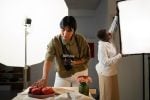
A small food or floral business with 80 SKUs and no photographer has a real problem, and AI product photography answers part of it. Removing a background, dropping a jar onto a clean surface, extending a photo so it fits a square tile: these used to be a retoucher’s afternoon and are now a few seconds and a few cents.
The trouble is that the same tools will also produce a dish that was never cooked, in a kitchen that doesn’t exist, and put it on your menu. That version is not a shortcut, it’s a misrepresentation, and the cost arrives later as refunds and one-star reviews. This guide separates the two: what AI photo tools reliably do well, what they do badly, what the verified pricing actually is, and where the line sits between cleaning up a photo of your product and inventing one. It’s the tooling companion to the broader guide on food photography for delivery, which covers the shoot itself.
The Bottom Line
AI is reliably good at four things: background removal, background replacement for hard-edged products, canvas extension for different crop ratios, and batch-consistent colour and exposure cleanup.
It is unreliable at plated food. Steam, broth, sauce reflections and soft edges defeat cutout tools, and the shadow direction in a generated scene rarely matches the original photo.
Pricing is cheap enough that cost is not the deciding factor. Pebblely lists US$9/month for 30 images and US$39/month for 500; Krea offers a free tier of 100 compute units a day.
The hard constraint is accuracy, not cost. Uber Eats requires item photos to accurately represent the item, and a generated dish fails that whatever it cost to make.
Save 80% of delivery management time
We handle everything:
- Dedicated operations manager
- Real-time tracking dashboard
- Automated customer notifications
- Urgent issue resolution
What AI product photography actually does to an image
The phrase covers two completely different operations that get sold under one name, and the whole risk assessment depends on which one you’re using.
Editing starts from a photograph of your real product and changes something around it or about its presentation. Cutting the product out of its background, placing it on white, adjusting exposure and colour, removing a dust speck, extending the frame. The product in the final image is the product you photographed.
Generation starts from a text prompt, or from your product plus a prompt, and creates pixels that were never photographed. A generated scene behind a real bottle. A generated lifestyle shot. A generated dish. Some of what appears in the final image was invented.
Most tools do both and don’t make the distinction obvious in their interface. For a business selling physical goods, editing is routine and generation needs a decision every time about whether the invented part is anything the customer is paying for.
The four jobs AI photo tools do well
Background removal is the most mature capability by a distance. Modern cutout models handle hard-edged products (bottles, jars, boxes, bags, bouquets in a wrapped cone) accurately enough that the result needs no manual correction. For a catalogue that needs every product on plain white, this alone saves days.
Background replacement on hard-edged products is the second. Once the product is cut out cleanly, dropping it onto a studio surface or a lifestyle scene works well provided the original lighting roughly matches the new scene. A product shot flat-lit on white, placed into a scene with dramatic side light, looks pasted on because the shadows disagree.
Canvas extension is the third, and the most consistently useful of them. Your product shot is 3:2; your category tile wants 1:1 and your banner wants 3:1. Rather than cropping into the product, an extender generates plausible more-of-the-same surface at the edges. Nobody is paying for the background, so the invented part is harmless.
Batch colour and exposure cleanup is the fourth: running 200 images through the same correction, matching white balance across a catalogue shot over several sessions. Tedious manual work that automates well.
What ties all four together: the product itself is untouched in every one of them. That is the useful boundary to hold.
AI product photography tools worth knowing
These were checked against each tool’s own pages in October 2026. Prices and inclusions on this kind of product change frequently, so confirm before you commit.
| Tool | Pricing as published | Best for |
|---|---|---|
| Photoroom | Credit-and-export model: Pro, Max, Ultra and Enterprise tiers, sold as monthly AI credits plus a monthly export allowance | Fast, high-volume catalogue cleanup, especially background removal and retouching at scale |
| Pebblely | Lite US$9/mo for 30 images, Basic US$19/mo for 200, Pro US$39/mo for 500; no free tier | Putting a packaged product into a styled scene without learning any new software |
| Adobe Firefly | Part of the Adobe ecosystem; sold alongside Creative Cloud | Businesses that already use Adobe tools and want a model with a stated commercial-licensing position |
| Krea | Free tier of 100 compute units per day with no card required; Pro US$35/mo, Max US$105/mo, Business US$200/mo | Trying several image models side by side before committing to a paid plan |
A few specifics worth knowing beyond the table.
Photoroom sells on credits and exports rather than a flat image count, and the tools are gated by tier; its pricing page shows video generation arriving at the Max tier and 4K resolution only at Ultra. If your need is “remove 400 backgrounds this month,” read the export allowance rather than the credit number.
Pebblely is the clearest pricing in the group because it’s quoted directly in images per month, which makes budgeting trivial. Its own pricing page states there is no free plan, and that yearly billing includes “2+ months free.” Bulk generation appears from the Basic tier up.
Adobe Firefly is the one to look at if provenance matters to you. Adobe’s own product page states that Firefly models “are trained on licensed content from Adobe Stock and public domain content where copyright has expired,” and that Adobe does not train the models on subscribers’ personal content. For a business that’s nervous about where a generative model’s training data came from, that’s a materially different position from most of the field.
Krea is a comparison workspace rather than a single model: its page lists Flux, Krea 2, Nano Banana, ChatGPT Image and Wan available side by side, along with upscaling, background removal and image-to-video. The free tier makes it the cheapest way to find out whether generated imagery suits your product at all before paying for anything.
We attempted to verify Claid’s current plans for this list and the pricing page wouldn’t load for us, so we’ve left it out rather than describe tiers we couldn’t read.
What AI product photography costs against a real shoot
At the published prices above, a few hundred edited images a month costs less than a tank of fuel. A professional product shoot, for comparison, is typically quoted per image or per half-day and runs into the hundreds for a modest set.
That gap is real, and it makes the cost comparison the wrong place to make the decision. Nobody is choosing a generated image over a photographer because of a $39 subscription; they’re choosing it because the photographer needs a day of your kitchen’s time and the subscription needs ten minutes. The honest framing is:
-
AI editing versus manual editing. AI wins comprehensively on cost and speed, with no downside, because the input is still your own photograph.
-
AI generation versus an actual shoot. This is not a cost comparison at all. One produces a picture of your product and the other produces a picture of something resembling your product. They are different goods.
The sensible budget for most food and floral businesses is a few hundred dollars of phone-and-window-light shooting equipment, one afternoon of kitchen time, and a cheap AI subscription for the cleanup afterwards. That combination beats both the pure-AI route and the full studio route for a catalogue that changes every season.
Where AI-generated product images cross the line
Three separate constraints bite, and they bite in a specific order.
Platform rules come first. Uber Eats states that menu item photos must “accurately represent a single item” from your menu, and prohibits several categories of alteration including overlaid text and logos (Uber, retrieved 2026-10-03). DoorDash’s photo rules are similarly built around the photo showing the actual dish. A generated image of a dish you sell is a rule breach before it’s anything else, and the enforcement route is simple: a customer complains that what arrived looked nothing like the picture.
Truth in advertising comes second. The underlying principle in the FTC’s endorsement guidance is that advertising can’t make a claim the marketer couldn’t legally make, and can’t misrepresent the actual experience of the product (FTC, retrieved 2026-10-03). A product image is a claim about what the buyer receives. Making the portion bigger, the colour richer or the garnish more generous than the real thing is the same category of problem as writing an inflated description, and it is not cured by the image being technically beautiful.
Commercial reality comes third and hurts most. A photo that oversells wins the first order and loses the customer. For a delivery business that depends on repeat ordering, a 10% lift in first orders bought with an inaccurate photo is a bad trade against the customers who don’t come back. This is the one that doesn’t need a regulator to enforce it.
A practical test: would you be comfortable putting the generated image and a phone snap of the real product side by side in the same listing? If the answer is no, the image is overselling.
Why AI struggles with plated food specifically
Product photography and food photography are not the same difficulty for these tools, and food businesses are usually surprised by how much worse the results are.
A box of soap has a hard, continuous outline. The cutout model knows exactly where the product ends. A bowl of ramen has steam, a broth surface reflecting the table it’s sitting on, scattered herbs with soft edges, and condensation on the rim. Every one of those defeats a segmentation model. You get a cutout with a slightly chewed edge, steam that has been deleted entirely, and reflections in the broth that still show the old backdrop you were trying to replace.
Generation is worse. Image models are famously unreliable about the structural details of food: the wrong number of components, pasta that doesn’t connect, a burger whose layers don’t stack, a bouquet with flowers that don’t exist. For a hero image, the error is funny. For a menu item the customer is buying, it’s a false description.
The practical consequence is that food businesses get far more value from the editing side than the generation side. Shoot the dish properly, on the right surface and under the right light, then use AI for colour matching and canvas extension. That is faster than fighting a cutout tool for thirty dishes, and the two things that decide whether the original photo is clean enough to work with are the lighting setup and the backdrop under the plate.
A workflow that uses AI without faking the product
-
Shoot every product and every dish for real, once, in a single consistent session. Phone, window light, one surface.
-
Run the whole batch through one colour and exposure correction. Same settings for every file, so the catalogue matches.
-
Remove backgrounds only where the product has a hard edge and the channel needs plain white. Leave plated food on its real surface.
-
Extend canvases rather than cropping when a channel wants a different aspect ratio.
-
Use generated scenes only for non-product imagery such as banners, blog headers, category tiles, social backgrounds. Nothing a customer is buying.
-
Keep the originals. When a platform or a customer queries an image, the original file is the answer.
The result is a catalogue that is fast to produce, consistent across channels, and honest. The honesty is the part that compounds, because every photo that matches what arrives in the box is a customer who trusts the next photo too.
Frequently asked questions about AI product photography
Is AI product photography good enough to replace a photographer?
For background removal, colour cleanup and reframing, yes, comfortably. For producing the original photograph of a product, no: you still need a real photograph as input, whether a photographer takes it or you do. The tools have replaced the retoucher far more than they’ve replaced the photographer.
Can I use AI-generated images on DoorDash or Uber Eats?
Not for item photos of dishes you sell. Both platforms require the photo to represent the actual item, and a generated dish does not. AI-assisted editing of a real photo of the dish is a different matter and is generally fine, as long as the result still accurately shows what the customer receives.
How much does AI product photography cost?
Less than most people expect. Of the tools checked for this article, Pebblely publishes plans at US$9, US$19 and US$39 per month for 30, 200 and 500 images respectively, and Krea publishes a free tier of 100 compute units a day plus paid plans from US$35 a month. Photoroom sells credits and exports rather than a flat image count. Confirm current pricing on each vendor’s page before budgeting, because this category changes fast.
Does AI work on food photos as well as product photos?
No. Hard-edged packaged products are much easier for these tools than plated food, because food has soft edges, steam, liquid and reflections that cutout models handle badly. Expect good results on jars, boxes and bottles, and expect to do more manual work on anything on a plate.
Do I have to disclose that an image was AI-edited?
Routine editing of a real photo (exposure, colour, background removal) has never required disclosure and still doesn’t. The question gets serious when generated content changes what the buyer thinks they’re getting. Disclosure rules for synthetic media are moving quickly and vary by jurisdiction, so treat anything beyond cleanup as a question for whoever advises you on advertising compliance.
Use it for the cleanup, not for the product
The dividing line is simple enough to apply without thinking about it: AI is for everything around the product, and a camera is for the product. Backgrounds, crops, colour matching, catalogue consistency: hand all of that over and don’t look back. The dish, the bouquet, the jar: photograph it.
Start by running last season’s catalogue through a background remover and a batch colour correction. That’s the fastest demonstration of what these tools are worth, and it doesn’t require you to decide anything about generated imagery at all.